Author: Editor

  • Halal, Kosher, Jain & Hindu Food Compliance: How to Add Religious Dietary Data to Your App

    Halal, Kosher, Jain & Hindu Food Compliance: How to Add Religious Dietary Data to Your App

    The Most Dangerous Assumption in Food Tech

    There’s a checkbox in your database. It probably says is_vegetarian or contains_pork. You sleep well at night, believing you’ve catered to a dietary need. You’re wrong.

    That simple boolean is costing you access to a global market of over 2.2 billion people. Muslims, Jews, Hindus, Jains. They aren’t looking for a checkbox. They are living by complex, ancient dietary laws that a generic food API reduces to a dangerous caricature.

    “No pork” does not mathematically equal Halal. Generic food APIs, including the popular Spoonacular API, treat these profound cultural and religious traditions as binary flags. This isn’t just a technical oversight; it’s a business-killing mistake. If you’re building a food delivery app, a recipe planner, or a grocery service for the fastest-growing consumer markets in the MENA region, Southeast Asia, and beyond, your database must understand the nuance of cross-contamination, the authority of certification bodies, and the critical sub-categorizations like Kosher Parve versus Kosher Meat.

    This is not another blog post. This is a definitive technical guide for CTOs, developers, and founders on how to stop approximating and start accurately serving the world’s most devout food consumers. We’ll deconstruct the data problem and then give you a step-by-step guide to solving it programmatically.
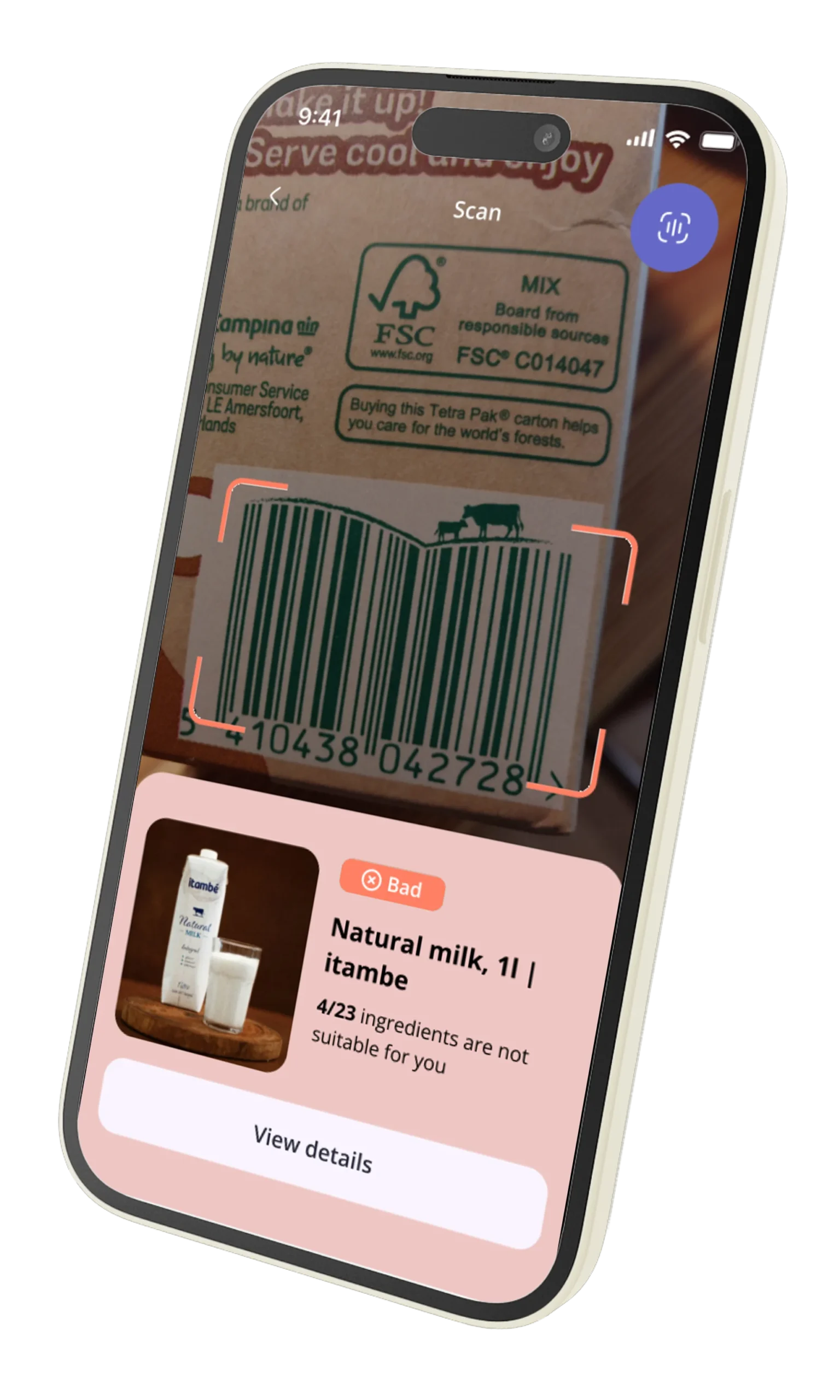

    Food Scan Genius App Scanner

    Why Religious Dietary Compliance is a Growing Requirement in Food Apps

    Let’s talk numbers. The global Halal food market alone is projected to reach nearly $3.0 trillion by 2026. There are 1.8 billion Muslims, 1.2 billion Hindus, and 15 million Jews worldwide. Add to this the strict vegetarianism of 6 million Jains. This isn’t a niche; it’s a significant portion of the global economy.

    As your app expands beyond the borders of North America and Western Europe, you will encounter these users. They are not a monolith, but they share a common need: trust. They need to trust that your app understands their needs with precision.

    A food app that fails to distinguish between Halal and simply ‘pork-free’ is seen as ignorant at best and disrespectful at worst. In a competitive app marketplace, trust is your most valuable currency. Losing it over a lazy data model is unforgivable.

    CTOs and engineering leads must recognize this as a data integrity problem with severe market consequences. The demand is for:

    • Granularity: Users need to filter not just for ‘Kosher’, but for ‘Kosher-Dairy’ or ‘Kosher-Parve’ to maintain their household rules.
    • Authority: A claim of ‘Halal’ is meaningless without knowing who certified it. Was it a recognized international body or a self-declaration?
    • Accuracy: A product containing gelatin derived from a pig is obviously not Halal. But what about gelatin from a cow that wasn’t slaughtered according to Islamic law? A simple API won’t know the difference. Your users will.

    Failing to provide this level of detail isn’t just bad UX; it’s a barrier to entry. Providing it is your competitive moat.


    What Halal Certification Actually Requires (and why “no pork” is a dangerous oversimplification)

    Most developers think the logic for Halal is simple: if ingredient != 'pork' then is_halal = true. This is fundamentally wrong and will lead to catastrophic data errors.

    Halal (meaning ‘permissible’ in Arabic) is a comprehensive set of dietary rules from Islamic scripture. The absence of pork is just the beginning.

    Here are the data points a robust Halal food API must account for:

    1. Meat Source & Slaughter (Zabiha): Meat is only Halal if it comes from a permissible animal slaughtered in a specific ritual manner known as Zabiha. A steak from a cow that was not blessed and slaughtered according to this ritual is not Halal. Your API needs to know the source and processing, not just the animal.
    2. Hidden Haram Ingredients: The complexity lies in processed foods.
      • Enzymes: Many cheeses use rennet, an enzyme often derived from the stomach of a calf. If the calf was not Zabiha, the cheese is not Halal.
      • Alcohol Derivatives: Vanilla extract is a common offender. While many scholars permit it due to chemical transformation and trace amounts, stricter consumers avoid it. Your data must distinguish between alcohol as a beverage (haram) and as a solvent in food production.
      • Gelatin & Collagen: Used in everything from gummy candies to yogurt, gelatin is often derived from porcine sources. Even if it’s bovine gelatin, it must come from a Zabiha-slaughtered animal.
    3. Cross-Contamination: A Halal meal prepared on the same grill as a pork chop is no longer Halal. While harder to track for CPG products, certified products must ensure their production lines are free from contamination with non-Halal substances (haram).

    An API that only provides a boolean for is_halal is hiding the truth. You need the full picture, starting with who verified the claim.


    Kosher Compliance: The Critical Difference Between Parve, Dairy, and Meat in a JSON Payload

    Similar to Halal, Kosher is a set of intricate dietary laws from Jewish scripture (Kashrut). A simple is_kosher: true flag is functionally useless for a practicing Jewish consumer. The entire system is built on the strict separation of meat and dairy.

    Failing to provide this distinction in your data makes your app’s recipe recommendations or meal planning features hazardous to your user’s observance. Imagine your app suggesting a sprinkle of parmesan cheese (Dairy) on a brisket dish (Meat). You’ve just broken a fundamental rule of Kashrut.

    Here’s how the data must be structured:

    • Kosher Meat (Fleishig): Includes meat and fowl from kosher animals slaughtered in the ritual manner (Shechita).
    • Kosher Dairy (Milchig): All milk and milk products, like cheese and yogurt, must come from kosher animals.
    • Kosher Parve (Pareve): These are neutral foods that are neither meat nor dairy, such as fruits, vegetables, grains, fish, and eggs. Parve foods can be consumed with either meat or dairy.

    Your app’s logic depends on knowing this category. When a user adds a ‘Kosher Meat’ item to their cart, your recommendation engine must be smart enough to filter out all ‘Kosher Dairy’ items for that meal. This is only possible if your API payload is structured correctly.

    A generic API might return:

    {
      "product_name": "Plain Yogurt",
      "kosher": true
    }
    

    This is insufficient. A purpose-built API like NutriGraph provides the necessary detail:

    {
      "product_name": "Plain Yogurt",
      "religious_compliance": {
        "kosher": {
          "is_kosher": true,
          "category": "Dairy",
          "certifying_body": "OU"
        }
      }
    }
    

    This structure allows your application to build rules and filters that respect the user’s actual dietary practice.


    ScanGeni Ventures Logo

    Hindu and Jain Dietary Requirements: The Data Fields Western Developers Often Overlook

    The assumption that ‘vegetarian’ is a simple, universal category is another Western-centric bias encoded into most food databases. For hundreds of millions of users, vegetarianism is a complex spiritual practice with rules that go far beyond ‘no meat’.

    Hindu Dietary Practices:

    While not all Hindus are vegetarian, a significant portion follows a lacto-vegetarian diet. However, many devout Hindus also adhere to a Sattvic diet, which excludes foods that are believed to negatively impact consciousness. This includes:

    • Onion and Garlic
    • Certain lentils and pulses
    • Overly spicy or stimulating foods

    Your API needs fields like contains_onion_garlic: true to serve this user base effectively. Simply flagging a dish as vegetarian is not enough.

    Jain Dietary Practices:

    Jainism takes the principle of non-violence (Ahimsa) to its logical extreme. Jains follow one of the strictest forms of vegetarianism in the world. This includes:

    • No Meat, Poultry, or Fish.
    • No Eggs.
    • No Root Vegetables: This is the most commonly overlooked requirement. Jains do not eat potatoes, onions, garlic, carrots, or any vegetable where harvesting the plant involves killing it entirely. The logic is that harvesting the root kills the plant and potentially countless microorganisms in the soil.
    • Other Restrictions: Many Jains also avoid honey (seen as exploitation of bees) and certain fermented foods.

    A food API that cannot distinguish between a potato curry and a lentil curry is failing its Jain users. You need specific data points like contains_root_vegetables to build a truly inclusive application.


    How to Verify Religious Compliance Programmatically: What the API Needs to Return

    Trust is everything. For religious dietary laws, the source of the claim matters as much as the claim itself. A self-declared ‘Halal’ sticker on a product is not the same as a certification from a globally recognized body.

    Your application should not just display compliance; it should display proof. This means your API response must be structured for transparency.

    A weak API returns a simple boolean. A strong API returns a verifiable object.

    Consider this example JSON snippet from a NutriGraph API call for a certified chicken product:

    "religious_compliance": {
      "halal": {
        "is_halal": true,
        "status": "Certified",
        "certifying_body": "IFANCA",
        "certification_id": "IFANCA-2A4B8C"
      },
      "kosher": {
        "is_kosher": false,
        "status": "Not Certified",
        "category": null,
        "certifying_body": null
      },
      "jain_vegetarian": {
        "is_compliant": false,
        "status": "Not Compliant",
        "reasons": ["Contains Meat"]
      }
    }
    

    From this payload, your application can programmatically:

    1. Confirm Halal status with the is_halal: true flag.
    2. Display the certifying body (‘IFANCA’ – Islamic Food and Nutrition Council of America) to the user, building immense trust.
    3. Understand it is not Kosher or Jain-compliant, allowing for accurate filtering.

    This is how you move from ambiguity to authority.


    Cross-Compliance Edge Cases: How Your App’s Logic Handles Conflict

    This is where superior data models separate winning apps from the rest. The real world is full of products that meet one standard but fail another. Your application logic must be sophisticated enough to navigate this.

    Example Scenario: A brand of Greek yogurt.

    • Halal Status: It’s certified Halal. It contains no pork or alcohol and uses microbial rennet.
    • Kosher Status: It’s certified Kosher Dairy (marked with OU-D).
    • Hindu Status: It’s lacto-vegetarian and acceptable to most Hindus.
    • Jain Status: It’s vegetarian, but the specific bacterial cultures used or other processing steps might not be acceptable to the strictest Jains. Let’s assume for this example it is non-compliant.

    The User Profile:
    * User A has selected ‘Halal’ as their dietary preference.
    * User B has selected ‘Kosher’ and specified ‘no mixing of Meat and Dairy’.
    * User C has selected ‘Jain’.

    Your App’s Logic:

    Your code fetches the data for the yogurt. The API returns distinct objects for each religious diet.

    // Pseudo-code for your filtering logic
    function shouldDisplayProduct(product, userProfile) {
      const compliance = product.data.religious_compliance;
    
      if (userProfile.diet === 'Halal') {
        return compliance.halal.is_halal;
      }
    
      if (userProfile.diet === 'Kosher') {
        // More complex logic here: check if other items in cart are 'Meat'
        // if cart.contains('Meat') && compliance.kosher.category === 'Dairy', return false
        return compliance.kosher.is_kosher;
      }
    
      if (userProfile.diet === 'Jain') {
        return compliance.jain_vegetarian.is_compliant;
      }
    
      return true; // Default case
    }
    

    For the Greek yogurt:
    * shouldDisplayProduct(yogurt, userA) -> true
    * shouldDisplayProduct(yogurt, userB) -> true, but the app should now prevent adding any ‘Kosher Meat’ items to the same meal plan.
    * shouldDisplayProduct(yogurt, userC) -> false

    This level of intelligent filtering is impossible with generic, boolean-based food APIs. You must demand a data source that reflects the complexity of the real world.


    Building a Religious Dietary Filter in Your Food App: Step-by-Step API Integration

    Let’s make this practical. Here is a high-level walkthrough for implementing a robust religious dietary filter using a well-structured API like NutriGraph.

    Step 1: Enhance User Profiles

    Allow users to select their dietary needs with the required granularity. Don’t just offer ‘Kosher’; offer ‘Kosher’ and then allow them to specify if they keep Meat/Dairy separate. Offer ‘Vegetarian’, ‘Hindu Vegetarian (No Onion/Garlic)’, and ‘Jain Vegetarian (No Root Veg)’. Store these preferences in your user object.

    Step 2: Make the API Call

    When fetching product data, use a UPC or internal product ID to query the API endpoint.

    GET /v2/products/upc/{upc_code}

    Step 3: Parse the Compliance Object

    On receiving the 200 OK response, parse the JSON and navigate to the religious_compliance object we detailed earlier. Do not rely on top-level flags.

    Step 4: Implement Filtering Logic

    In your backend or client-side code, compare the user’s stored preferences against the detailed information in the religious_compliance object. Create a rules engine that can handle the AND/OR/NOT logic required for cross-compliance.

    Step 5: Display Trust Signals in the UI

    When you display a product, don’t just say ‘Halal’. Display the data that proves it. Add a small badge or line of text: “Certified Halal by IFANCA”. If a product is Kosher Dairy, display the ‘OU-D’ symbol. This visual proof is what converts a skeptical user into a loyal customer.

    Step 6: Educate the User

    If a product is filtered out, provide a clear reason. For example: “This item was hidden because it contains root vegetables, which does not meet your Jain dietary preferences.” This reinforces that your app understands their needs and is working to protect them.

    Your Data Defines Your Market

    The difference between a global app and a regional one is often the quality of its data. Treating the world’s major religions as an afterthought is a strategy for failure.

    Generic APIs offer a veneer of compliance. They give you a boolean and wash their hands of the consequences. This is no longer acceptable. The 2.2 billion-strong market of religiously observant consumers demands precision, authority, and respect. It’s a technical problem, but solving it unlocks a massive human connection.

    Stop approximating. Start providing the data integrity your users deserve.

    Explore the religious compliance data schema in NutriGraphAPI at nutrigraphapi.com/docs.
  • How Accurate Is Food Nutrition Data? What Developers Should Ask Before Choosing an API

    How Accurate Is Food Nutrition Data? What Developers Should Ask Before Choosing an API

    Let’s be honest. If you’re building an application in the health-tech space, you’re not just moving bits and bytes. You’re handling people’s lives. Your code—and the data that feeds it—is the thin line between a user achieving a health goal and a user having an allergic reaction. Between a patient trusting your app and a patient’s doctor telling them to delete it.

    Every CTO, founder, and data scientist evaluating a food API says they care about data accuracy. It’s table stakes. Yet, the industry has a dirty secret: most providers are playing a dangerous shell game with their data sources. They present a unified, clean-looking endpoint, but behind the curtain, it’s a chaotic mix of scraped retail sites, unverified user submissions, and data that hasn’t been updated since the last presidential election.

    The biggest danger in health-tech isn’t a 404 error; it’s a silent, subtle inaccuracy that poisons your entire product. It’s the data from crowdsourced repositories like Open Food Facts or the user-generated chaos of a MyFitnessPal, where a single user can list a Snickers bar as having 10 grams of protein and zero sugar. Relying on this kind of data to power a professional application is like building a hospital on a foundation of sand.

    This isn’t just a technical problem. It’s a trust problem. And in our business, trust is the only currency that matters.

    This guide isn’t a sales pitch. It’s an evaluation framework. It’s the conversation we believe every development team should be having before they write a single line of code that depends on an external food API. It’s about asking the hard questions, so you don’t have to answer for the consequences later.

    Why food nutrition data is harder to get right than it looks

    On the surface, it seems simple. A product has a nutrition label. You read the label, put the data in a database, and expose it via an API. The end. If it were that easy, every food API would be perfect, and we wouldn’t be having this conversation.

    The reality is that the global food supply chain is a sprawling, entropic system. Food nutrition data accuracy isn’t a static target; it’s a moving, complex challenge that requires a sophisticated, multi-layered approach to solve.

    Consider the principle of Garbage In, Garbage Out (GIGO). In machine learning, it means a flawed dataset will always produce a flawed model. In health-tech, the stakes are higher. A flawed data pipeline can lead to incorrect dietary recommendations, missed allergen warnings, and a complete erosion of user trust.

    Here are just a few of the complexities that make this problem so challenging:

    • Regional Variations: The same product from a global brand like Nestlé or Kraft Heinz can have a different formulation—and thus a different nutrition profile—in the United States versus the European Union. The FDA and the EFSA have different labeling requirements, rounding rules, and even definitions for what constitutes a “serving.” A simple UPC lookup isn’t enough; you need geographic and regulatory context.
    • Constant Formulation Changes: Food manufacturers are constantly tweaking their recipes. They might switch from sugar to high-fructose corn syrup, replace one type of oil with another to cut costs, or add a new vitamin blend to make a health claim. Each change invalidates the existing nutrition data. Your API is only as good as its ability to detect and ingest these changes in near real-time.
    • The Scale of the Problem: There are millions of unique food products (UPCs) on the market at any given time, with tens of thousands of new products introduced each year. Manually curating this data is impossible. Building a system to automate its collection, verification, and maintenance is a monumental engineering and data science challenge.
    • Ambiguity and Inconsistency: Is “Light Cream” the same as “Half-and-Half”? How do you classify a product that’s both “Organic” and “Gluten-Free”? The hierarchical classification of food, known as ontology, is a deeply complex field. Most APIs take shortcuts, leading to poor search results and incorrect categorization.

    Treating food nutrition data as a simple key-value store is the first, and most critical, mistake a developer can make. It’s a living, breathing dataset that demands a rigorous, defense-in-depth approach to maintain its integrity.

    Food Scan Genius App Scanner

    The 4 sources of food data errors

    Every incorrect data point in your application can be traced back to a source. Understanding these sources of failure is the first step in building a resilient system. In our analysis, errors almost always originate from one of four areas.

    1. Manufacturer Error

    It’s tempting to treat the information printed on the physical package as infallible ground truth. It isn’t. Manufacturers, despite their best efforts and QA processes, make mistakes. Data entry clerks have typos. Rounding rules are misapplied. A decimal point gets misplaced. While rare, these errors at the very source can be pernicious because they appear authoritative. A robust data verification system doesn’t blindly trust manufacturer data; it cross-references it against expected nutritional ranges for that food category and flags statistical outliers for human review.

    2. Update Lag

    This is the most common and insidious source of inaccuracy. A manufacturer reformulates a popular cereal to reduce its sugar content by 15%. They print new packaging, and the new version hits store shelves. But your food data API is still serving the old data. For a diabetic user carefully managing their sugar intake, your app is now providing dangerously incorrect information. The time it takes for an API to reflect a real-world product change—the data latency—is a critical performance indicator. For many APIs that rely on periodic, manual, or scraped updates, this lag can be months, or even years. In the world of health, that’s an eternity.

    3. OCR Scanning

    To build their databases, many services turn to Optical Character Recognition (OCR) technology, often powered by users snapping photos of nutrition labels with their phones. While modern OCR is impressive, it’s far from perfect, especially under real-world conditions like poor lighting, wrinkled packaging, or strange fonts. A crinkle in a package can make a ‘3’ look like an ‘8’. A shadow can turn ‘6g’ of fat into ‘8g’. These aren’t just minor discrepancies; they are fundamental corruptions of the data that can have a cascading effect on your application’s calculations and recommendations.

    4. User-Submitted Data

    This is, without question, the single greatest threat to food nutrition data accuracy. APIs that build their databases on the back of user-submitted or crowdsourced content are choosing breadth at the expense of reliability. The incentives are all wrong. A user’s goal is to quickly log their meal, not to painstakingly ensure the data they’re entering is 100% correct for all future users. This leads to a database filled with:

    • Incomplete Entries: Users log calories and macros but ignore micronutrients.
    • Typographical Errors: 50g of protein instead of 5.0g.
    • Personalized Names: “Mom’s Sunday Lasagna” instead of the actual product name.
    • Outright Vandalism: Malicious or joke entries.

    Building a mission-critical health application on a foundation of user-submitted data is professional malpractice. It outsources your core responsibility—data integrity—to an anonymous, unaccountable, and unvetted crowd.

    How food APIs verify their data: scraped vs submitted vs lab-verified

    Not all data is created equal. The method an API provider uses to acquire its data is the most telling indicator of its quality. This is its provenance. When you’re evaluating an API, you need to look past the marketing claims and ask one simple question: “Where does the data actually come from?” The answer will fall into one of three categories.

    The Low Tier: Scraped Data

    This is the bottom of the barrel. The provider writes scripts (spiders) that crawl the websites of grocery stores and retailers, pulling product information from public-facing web pages. This approach is fraught with problems:

    • Brittleness: A simple website redesign can break the scraper, causing data flow to cease without warning.
    • Inaccuracy: Retailer websites are marketing tools, not technical databases. They often contain typos, outdated information, or promotional copy instead of hard data.
    • Legal Risk: Many websites explicitly forbid scraping in their terms of service. Building your business on data acquired in this manner is a significant legal and operational risk.

    The Mid Tier: Submitted (Crowdsourced) Data

    This is the model used by many popular consumer apps and the APIs derived from them. As discussed, they rely on their user base to populate the database. The sales pitch is “the world’s largest food database,” but it’s a mile wide and an inch deep. The sheer volume of data hides a chaotic lack of consistency, verification, and reliability. For a startup trying to prove its value, using this data is a false economy. You save money on API costs but pay for it tenfold in customer support tickets, user churn, and reputational damage when the data is inevitably wrong.

    The Professional Tier: Direct & Verified Data

    This is the only acceptable standard for a serious health-tech application. In this model, data is sourced directly from the most authoritative entities possible:

    1. Direct Manufacturer Feeds: The provider establishes official data partnerships with food manufacturers, who provide structured, accurate data for their products directly. This is the ground truth.
    2. Regulatory Databases: The provider integrates with government and regulatory body databases, like the USDA FoodData Central. This provides a baseline of verified, standardized data, especially for generic ingredients and commodities.
    3. Controlled Curation: For any remaining gaps, the provider employs a team of trained nutritionists and data specialists to research and enter data, following a strict, multi-step verification protocol.

    This approach prioritizes quality over quantity. The database may not have every obscure item from a local farmer’s market, but for the 99.9% of products your users are consuming, the data is accurate, traceable, and trustworthy.

    What a data confidence score actually means

    Talk is cheap. Any API provider can claim their data is accurate. The truly transparent ones prove it. They provide metadata that allows you, the developer, to understand the provenance and reliability of each and every data point. The most powerful form of this metadata is a confidence score.

    A confidence score is a quantitative measure of the API provider’s certainty in the accuracy of a given piece of data. It’s an admission that not all data is perfect and a tool that empowers you to handle it intelligently.

    Imagine you query an API for a UPC and get a result. Without a confidence score, you’re flying blind. Was this data sourced from the manufacturer yesterday, or was it scraped from a random blog five years ago? You have no idea.

    Now, imagine the same query to NutriGraphAPI. The JSON response includes a specific attribute:

    {
      "upc": "016000275287",
      "product_name": "Cheerios",
      "brand": "General Mills",
      "nutrients": [
        {
          "name": "Calories",
          "amount": 140,
          "unit": "kcal"
        },
        {
          "name": "Protein",
          "amount": 5,
          "unit": "g"
        }
      ],
      "verification_level": "manufacturer_direct",
      "last_updated": "2023-10-26T12:00:00Z",
      "confidence": 0.98
    }
    

    This changes everything. That "confidence": 0.98 attribute isn’t just a number; it’s a contract. It tells you a story about the data.

    At NutriGraphAPI, this score means:

    • 0.95 - 0.99: Data sourced directly from a manufacturer’s API or a primary regulatory database within the last 90 days. Highest level of trust.
    • 0.85 - 0.94: Data verified by our internal AI models, cross-referencing multiple reliable sources (e.g., top-tier retailers + nutritional databases).
    • 0.70 - 0.84: Data sourced from a single, trusted secondary source. Reliable, but flagged for secondary verification.
    • < 0.70: Data is considered uncertain, potentially from an unverified source or is significantly aged. We generally don’t serve this data via our primary endpoints, but its presence in our system triggers a re-verification task.

    This allows you to build smarter, more resilient applications. You can set a threshold in your code to only display nutrition information with a confidence score above 0.90. You can flag lower-confidence items for your users, perhaps with a message like, “Nutritional information is estimated.” You are no longer a passive consumer of data; you are an active participant in ensuring its quality.

    If an API provider cannot or will not provide this level of transparency, ask yourself: what are they hiding?

    ScanGeni Ventures Logo

    Questions to ask any food data API provider before signing up

    Before you commit your product, your reputation, and your users’ well-being to a third-party API, you must conduct your due diligence. Treat it like a technical interview for a critical hire. Here is your evaluation checklist. Any provider worth their salt will have immediate, clear, and verifiable answers to these questions.

    1. Data Provenance: “For a given, common UPC like Coca-Cola, can you walk me through the exact provenance of your nutrition data? Is it from a direct feed, a regulatory body, or a scraped source?”

    2. Data Latency: “What is your average and maximum data latency? When a manufacturer updates a product’s formula, what is your guaranteed SLA for that change to be reflected in your API’s production environment?”

    3. Source Composition: “What percentage of your database is populated by a) direct manufacturer/regulatory feeds, b) internal curation, c) OCR/automated scanning, and d) user-submitted content?”

    4. Error Handling & Verification: “How do you detect and correct errors, whether they originate from the source or your own ingestion pipeline? Do you have an automated anomaly detection system?”

    5. Allergen & Recall Data: “How do you track and ingest FDA/EFSA recall and allergen alert data? Is this data linked directly to the affected UPCs, and how quickly is it available via the API?”

    6. Confidence & Transparency: “Do you provide a per-item confidence score or a similar data quality metric in your API response? Can I filter API calls based on this score?”

    7. Ontology and Classification: “How do you classify and categorize foods? Are you using a standardized ontology (like FoodOn), or is it a proprietary system? How do you handle ambiguous product types?”

    Their answers—or lack thereof—will tell you everything you need to know about their commitment to food nutrition data accuracy.

    How often is the data updated? Why freshness matters for allergen compliance

    In many areas of software, data can be relatively static. For food nutrition, data is ephemeral. Its value decays over time. Data freshness isn’t a “nice-to-have”; it’s a core requirement for any application that deals with health, and especially with allergens.

    Consider the Food Allergen Labeling and Consumer Protection Act (FALCPA) in the US. It mandates that labels clearly identify the presence of any of the major food allergens. Manufacturers can, and do, change their production lines and ingredient suppliers. A product that was once peanut-free might suddenly be processed in a facility that also handles peanuts, requiring a new “may contain peanuts” warning.

    For a user with a severe allergy, this is a life-or-death distinction.

    If your API’s data is stale, your application transforms from a helpful tool into a dangerous liability. A user with celiac disease trusts your app to identify gluten-free products. A parent trusts your app to help them find snacks that are safe for their child with a dairy allergy. If your data is six months out of date, you are breaking that trust in the most profound way possible.

    This is why real-time ingestion of regulatory alerts, like the FDA’s recall database, is non-negotiable. A truly professional-grade food API doesn’t just provide nutritional data; it provides a safety and compliance layer. When a recall is issued for a specific batch of a product due to an undeclared allergen, that information should be programmatically available within hours, not weeks. The API should allow you to query not just by UPC, but to check against active recall and alert databases.

    When you evaluate a provider, don’t just ask if they update their data. Ask how fast. Ask them to prove it.

    NutriGraphAPI’s data verification stack: Manufacturer API + Regulatory Database + AI Verification

    We didn’t build NutriGraphAPI to be another food database. We built it to be an authoritative, trustworthy source of truth for developers building the future of health.

    Our entire architecture is designed around a single principle: defense in depth against inaccurate data. We don’t rely on any single source. Instead, we’ve built a multi-layered, self-healing data verification stack.

    1. The Foundation: Manufacturer & Retailer Direct APIs

    Our primary data ingestion pipeline connects directly to the source. We maintain formal data-sharing partnerships with hundreds of major CPG manufacturers and top-tier grocery retailers. We receive structured, real-time data feeds directly from their internal systems. This is our ground truth, the bedrock of our database. It dramatically reduces update lag and eliminates the errors associated with scraping and manual entry.

    2. The Compliance Layer: Regulatory Database Integration

    We continuously ingest and cross-reference our data with major government and regulatory databases, including the USDA FoodData Central and the EFSA Food Composition databases. This allows us to standardize data, validate manufacturer-provided information against a trusted baseline, and enrich our dataset with standardized units and micronutrient information that manufacturers might not provide.

    3. The Intelligence Layer: AI-Powered Verification

    This is our secret sauce. Every single data point that enters our system is analyzed by a suite of proprietary machine learning models. This AI layer acts as a tireless, 24/7 QA team:

    • Anomaly Detection: Our models are trained on the entire database to understand what’s “normal.” If a new data point for a yogurt claims it has 50 grams of fat per serving, the system automatically flags it as a statistical outlier for human review.
    • Cross-Source Reconciliation: When we have data for the same UPC from multiple sources (e.g., the manufacturer and a major retailer), our AI compares them, identifies discrepancies, and uses a weighted algorithm to determine the most likely correct value, raising the confidence score.
    • Predictive Freshness: Our system analyzes update velocity across brands and categories to predict when a product’s data is likely to become stale, proactively scheduling it for re-verification even before a change is announced.

    This three-tiered stack ensures that the data you receive from the NutriGraphAPI endpoint isn’t just data. It’s verified, cross-referenced, and context-aware intelligence.


    Choosing a food data API is one of the most important architectural decisions you will make as a health-tech leader. You’re not just choosing a vendor; you’re choosing a partner in building user trust. Don’t settle for the convenient fiction of a massive, crowdsourced database. Demand transparency. Demand accountability. Demand proof.

    Build your application on a foundation of verifiable truth.

    Review NutriGraphAPI’s data verification methodology and explore our documentation at nutrigraphapi.com/docs.

  • Allergen Management for Restaurants: How Food Service Apps Handle Compliance with an API

    Allergen Management for Restaurants: How Food Service Apps Handle Compliance with an API

    A restaurant menu isn’t a document. It’s a promise. It’s a contract between the establishment and the guest, a declaration of what will be served. But in the modern world, that contract has a new, non-negotiable clause: safety.

    Consider this. A line cook, facing an empty container of the house brand soy sauce, reaches for a generic backup. The dish is made, the guest is served. No one thinks twice. But the new soy sauce contains wheat, whereas the house brand did not. Suddenly, your Pad Thai (Gluten-Free Option) is no longer gluten-free. The promise is broken. And your business is exposed to a level of legal and reputational liability that can cripple it.

    This isn’t a failure of the kitchen staff. It’s a failure of the system. Manual data entry, static spreadsheets, and relying on memory are relics of a bygone era. In a world of complex supply chains and stringent regulations, your biggest liability isn’t in the walk-in freezer; it’s in your database.

    This is not a tutorial about adding allergen icons to a PDF menu. This is a strategic guide for CTOs, POS developers, and the architects of modern food service platforms. We’re going to deconstruct the problem of programmatic allergen management and show you how to build a resilient, compliant, and ultimately superior system using an API-first approach. We’re moving beyond simple data lookup and into the realm of dynamic, real-time compliance. This is how you turn a liability into a competitive advantage.


    Why Allergen Management is a Legal Requirement for Restaurants

    Ignoring allergen management isn’t just bad service; it’s illegal. Governments worldwide have recognized the life-threatening severity of food allergies and have enacted legislation that places the burden of transparency squarely on food service operators. For any technology platform serving this industry, understanding these laws isn’t optional—it’s the cost of entry.

    Food Scan Genius App Scanner

    The UK’s Natasha’s Law

    Effective October 2021, the UK Food Information Amendment, known as Natasha’s Law, was a watershed moment. It mandates that all food pre-packaged for direct sale (PPDS)—think sandwiches, salads, and pastries made and packaged on-site—must have a full ingredient list with allergenic ingredients emphasized on the label. This was a direct response to a tragic, preventable death. For developers, this means your system must be able to generate precise, ingredient-level labels on demand, pulling from a database that reflects the exact components of that day’s production.

    EU Food Information to Consumers (FIC) Regulation No. 1169/2011

    Across the European Union, the FIC regulation has been the standard for years. It requires information for 14 major allergens to be clearly provided for non-prepackaged foods. This means a customer in a restaurant must be able to ask about the allergens in any dish, and the staff must have access to accurate, up-to-date information. A POS or kitchen display system that cannot provide this information instantly is a compliance failure waiting to happen.

    The US FDA and the Food Allergen Labeling and Consumer Protection Act (FALCPA)

    The United States, through the FDA, mandates the clear labeling of the top nine major food allergens (recently adding sesame). While FALCPA primarily targets packaged goods from manufacturers, the FDA’s Food Code, adopted by states, sets the standards for restaurants. The implicit requirement is that restaurants must be able to accurately disclose allergen information upon request to avoid misbranding their food. The rise in allergy-related lawsuits in the US demonstrates that the legal system is increasingly holding restaurants to this standard.

    For a technology leader, these regulations signal a fundamental shift. Allergen data is no longer metadata. It is core, mission-critical information with legal weight. Your software is not just managing menus; it’s managing public health and legal risk.

    ScanGeni Ventures Logo

    The Problem with Manual Allergen Data Entry

    The traditional approach to allergen management is a spreadsheet. A well-meaning manager sits down once a quarter, reviews the recipes, and updates a master document. This document is then, hopefully, referenced by staff. This system is fundamentally, catastrophically broken.

    • Human Error is Inevitable: A typo, a misremembered ingredient, a copy-paste error. In a spreadsheet with thousands of cells mapping ingredients to dishes, errors are not a risk; they are a certainty. When an error can lead to anaphylactic shock, certainty is unacceptable.

    • Update Lag Creates a Liability Gap: A chef tweaks a recipe, changing the brand of cooking wine. The supply chain manager substitutes a different brand of breadcrumbs. How long does it take for that change to propagate from the kitchen to the front-of-house staff’s reference sheet? A day? A week? In that gap, every order is a gamble. The “soy sauce substitution” problem isn’t a hypothetical; it’s a daily operational reality in every commercial kitchen.

    • The Staff Training Burden is Immense: You can’t expect every server to memorize the allergen profile of 75 different dishes, especially with high industry turnover. Relying on staff memory to bridge the gap in your data system is a recipe for disaster. Effective restaurant menu allergen software should empower staff, not burden them.

    • It Doesn’t Scale: This manual system collapses under the weight of complexity. It cannot handle menu customizations, seasonal changes, or multi-location operations where regional suppliers differ. It’s an artisanal solution for an industrial-scale problem.

    Manual entry is a system designed to fail. It treats allergen data as a static attribute to be recorded, when in reality, it is a dynamic, calculated property of a constantly changing system.

    How Modern Restaurant Tech Platforms Handle Allergen Compliance Programmatically

    The only way to solve a dynamic data problem is with a dynamic system. Modern food tech platforms—from enterprise POS systems to online ordering apps—are moving away from storing allergen information as a simple static field (has_nuts: true). Instead, they treat it as a computed property, derived in real-time from a granular, authoritative source of truth. This is the API-first approach.

    The architecture looks like this:

    1. Centralized, Granular Ingredient Database: The foundation is a comprehensive database of ingredients, not just at the generic level (“flour”) but at the supplier and product level (“King Arthur All-Purpose Flour, SKU #71012”). This is the only level of granularity that matters.
    2. Recipes as a Bill of Materials: A menu item is not a flat object. It’s a structured recipe—a bill of materials that lists specific ingredients and their quantities. A Cheeseburger contains a Brioche Bun, a Beef Patty, Cheddar Cheese, etc.
    3. The Allergen API as the Engine: Instead of storing the allergen profile on the Cheeseburger object, the system makes a call to an external, specialized service like NutriGraphAPI. It sends the list of ingredient SKUs, and the API returns a comprehensive, calculated allergen profile for the final dish.
    4. Real-Time Recalculation: When an ingredient is substituted—either temporarily in the kitchen or permanently in the recipe—the system simply updates the ingredient list for that dish. The next time the allergen profile is requested, the API call is made with the new ingredient set, and the result is instantly accurate. The “soy sauce substitution” problem is solved.

    This architecture decouples the menu management from the allergen compliance logic. It allows your platform to focus on its core competency while outsourcing the complex, high-stakes task of food data science and regulatory tracking to a specialized, reliable partner.

    What a Restaurant Allergen API Needs to Return

    Not all food APIs are created equal. A generic recipe API that tells you a brownie contains “flour” and “cocoa” is useless for professional compliance. To power a true restaurant menu allergen software solution, the API response must be built for the realities of a commercial kitchen. It needs to provide data at multiple levels of abstraction.

    Ingredient-Level Data

    For any given ingredient SKU, the API must return its fundamental truth.
    * Declared Allergens: The 14 EU / 9 US major allergens explicitly present in the ingredient’s formulation.
    * “May Contain” Statements (PAL): Crucial precautionary allergen labeling information from the manufacturer (e.g., “Processed in a facility that also handles peanuts”). This is critical for guests with severe allergies and is often overlooked by simpler APIs.
    * Full Ingredient Statement: The complete, legally required list of sub-ingredients.

    Dish-Level Data (Calculated)

    This is where the magic happens. The API takes an array of ingredient SKUs and quantities and computes the derived properties of the finished dish.
    * Aggregated Allergen Array: A clean, de-duplicated list of all declared allergens present in the final dish. If three ingredients contain dairy, the final dish should simply list "Dairy" once.
    * Aggregated “May Contain” Array: A de-duplicated list of all precautionary warnings from all constituent ingredients. This is a vital risk management tool.
    * Compliance Flags: Boolean flags for common dietary and lifestyle concerns (is_vegan, is_vegetarian, is_gluten_free) that are calculated based on the properties of every single ingredient.

    Cross-Contamination Arrays (The Enterprise Feature)

    This is what separates a basic tool from an enterprise-grade compliance engine. The API should allow you to model the kitchen environment itself.
    * Station-Level Risks: You should be able to tag a menu item with the station it’s prepared on (e.g., "fryer", "grill").
    * Environment-Informed API Response: The API can then append environmental cross-contamination risks to the response. For example, even if the French Fries themselves are gluten-free, if the fryer is also used for breaded chicken, the API should add a cross-contamination warning for "Gluten". This requires a more sophisticated integration but provides the highest level of accuracy.

    An API that only provides a top-line list of allergens for a generic recipe is a toy. A professional platform requires a data partner that understands the flow of food from the supplier to the plate.

    Building an Allergen-Aware Menu System: Data Model + API Integration Walkthrough

    Let’s make this concrete. To build this system, you need a robust data model within your application that can interact intelligently with an external allergen API. Here’s a simplified but effective schema.

    Step 1: The Local Data Model

    Your application’s database needs to model the relationship between menus, dishes, recipes, and ingredients. You aren’t storing the allergen data itself, but the components that will be sent to the API.

    Here’s what your core data models might look like in JSON format:

    MenuItem
    This represents the dish on the menu. The key is the recipe array, which references your internal Ingredient objects.

    {
      "menu_item_id": "dish-101",
      "name": "Classic Cheeseburger",
      "description": "A juicy beef patty with cheddar cheese on a brioche bun.",
      "price": 14.99,
      "recipe": [
        { "ingredient_id": "ing-001", "quantity": 1, "unit": "each" },
        { "ingredient_id": "ing-002", "quantity": 150, "unit": "g" },
        { "ingredient_id": "ing-003", "quantity": 25, "unit": "g" },
        { "ingredient_id": "ing-004", "quantity": 10, "unit": "g" }
      ]
    }
    

    Ingredient
    This object links your internal representation to a specific, real-world product using a supplier product code or UPC. This supplier_product_code is the golden key you’ll send to the API.

    {
      "ingredient_id": "ing-001",
      "name": "Brioche Bun",
      "supplier": "City Bakers Co.",
      "supplier_product_code": "CB-58812"
    }
    

    Step 2: The API Integration Flow

    When a user views the “Classic Cheeseburger” in your app, your backend doesn’t just fetch the MenuItem object. It executes the following logic:

    1. Fetch MenuItem: Get the object for dish-101 from your database.
    2. Gather Ingredient Keys: Iterate through the recipe array and collect all the supplier_product_code values from the corresponding Ingredient objects. You’ll have an array like ["CB-58812", "FP-90210", "VD-1138", "HK-4747"].
    3. Call the Allergen API: Make a POST request to the NutriGraphAPI endpoint, for example /v1/dish/calculate, with a payload containing these keys.

    API Request Body:

    {
      "ingredients": [
        { "product_code": "CB-58812", "quantity": 1, "unit": "each" },
        { "product_code": "FP-90210", "quantity": 150, "unit": "g" },
        { "product_code": "VD-1138", "quantity": 25, "unit": "g" },
        { "product_code": "HK-4747", "quantity": 10, "unit": "g" }
      ]
    }
    
    1. Receive and Cache the Response: NutriGraphAPI processes this list, looks up each product code in its massive, verified food data network, and returns a calculated profile for the entire dish.

    API Response Body:

    {
      "calculated_at": "2023-10-27T10:00:00Z",
      "allergens_declared": [
        "Wheat",
        "Milk",
        "Eggs",
        "Sesame"
      ],
      "allergens_may_contain": [
        "Soy",
        "Tree Nuts"
      ],
      "dietary_flags": {
        "is_vegan": false,
        "is_vegetarian": false,
        "is_gluten_free": false
      },
      "full_ingredient_statement": "BEEF PATTY (Beef, Salt, Pepper), BRIOCHE BUN (Enriched Wheat Flour, Water, Eggs, Butter (Milk), Sugar, Yeast, Salt, Sesame Seeds), CHEDDAR CHEESE (Pasteurized Milk, Cheese Cultures, Salt, Enzymes), KETCHUP (...)"
    }
    
    1. Merge and Display: Your backend then merges this API response with your local MenuItem data to render the complete, compliant view to the end-user.

    This model is resilient. If the bakery changes the bun recipe, NutriGraphAPI updates the data for CB-58812. Your application code doesn’t need to change. Your data is now correct, automatically.

    Handling Menu Customisations and Substitutions

    This is the final frontier and the hardest technical challenge: dynamic recalculation for customized orders. What happens when a customer says, “I’ll have the Classic Cheeseburger, but no cheese and on a gluten-free bun”?

    A static system collapses here. An API-driven system handles it with elegance.

    The process is identical to the one above, but it happens dynamically at the point of sale or order customization.

    1. Start with the Base Recipe: The POS or app starts with the base ingredient list for the Cheeseburger.
    2. Apply Modifications: As the user makes changes, your client-side logic modifies the ingredient array in real-time.
      • "Remove Cheese": The ingredient with product_code: "VD-1138" is removed from the array.
      • "Substitute GF Bun": The ingredient with product_code: "CB-58812" is replaced with the product_code for the gluten-free bun, e.g., "GFB-001".
    3. Recalculate on Demand: Your application makes a new API call to /v1/dish/calculate with the modified ingredient array.
    4. Display Updated Profile: The API returns a new, accurate allergen profile for the customized dish, which can be displayed to the user or the server for confirmation. The allergens_declared array might now be ["Eggs", "Sesame"], and the is_gluten_free flag might be true.

    Solving this problem is the mark of a truly sophisticated food tech platform. It demonstrates a commitment to safety and transparency that goes far beyond basic legal compliance. It’s the kind of feature that wins enterprise clients who understand the profound liability of getting it wrong.

    Displaying Allergen Information in a Restaurant App: Legal Requirements + UX Patterns

    Getting the data right on the backend is only half the battle. How you present it to the consumer is just as critical. Your UI/UX must be clear, unambiguous, and compliant.

    Legal & Accessibility Considerations

    • Clarity: Allergen information cannot be hidden or obscured. It must be easy to find and easy to read. Use clear headings and legible fonts.
    • Emphasis: Regulations like Natasha’s Law require allergens to be emphasized in ingredient lists (e.g., using bold, italics, or ALL CAPS).
    • Accessibility (WCAG): Ensure your display methods are accessible to users with disabilities. If you use color-coded icons, provide text labels for screen readers.

    Common UX Patterns

    1. Interactive Badges/Icons:
    * How it Works: Display a row of icons (e.g., a wheat stalk, a milk carton) next to each menu item. Icons for present allergens are highlighted. Tapping an icon can provide more detail.
    * Pros: Scannable, language-agnostic, visually appealing.
    * Cons: Can become cluttered. Ambiguous without a clear legend. Poor for displaying “may contain” information.

    2. Text Blocks & Expandable Sections:
    * How it Works: A simple, clear statement like “Contains: Wheat, Milk, Eggs.” is displayed below the item description. For more complex data, an expandable “Allergen & Ingredient Information” link reveals the full API response.
    * Pros: Unambiguous, excellent for detailed disclosure (including “may contain” and full ingredient lists), better for legal compliance.
    * Cons: Can be text-heavy if not designed carefully.

    The Best Approach: A Hybrid Model

    The most effective solution combines both. Use interactive icons for a quick at-a-glance summary of the most common declared allergens. But always provide a clearly labeled, accessible link or button that expands to show the full, detailed information returned by the API—including precautionary warnings and the complete ingredient statement.

    This layered approach serves both the casual user who just wants to avoid dairy and the highly sensitive user who needs to know if a product was processed in a facility that also handles tree nuts. It balances simplicity with comprehensive safety.


    Your menu is no longer a static piece of paper. It is a dynamic, interactive application interface. It carries the weight of your brand’s promise of quality and, more importantly, its commitment to guest safety. Relying on manual, brittle systems in this new environment is not a strategy; it’s an abdication of responsibility.

    The future of restaurant technology belongs to platforms that build on a foundation of accurate, real-time, and granular data. It belongs to those who see compliance not as a burden to be managed, but as an opportunity to build deep, lasting trust with their customers.

    Stop managing liability in a spreadsheet. Start engineering trust with an API.

    Power your restaurant tech with NutriGraphAPI at nutrigraphapi.com/pricing.

  • How to Build a Food Product Barcode Scanner with a Nutrition API (Step-by-Step)

    How to Build a Food Product Barcode Scanner with a Nutrition API (Step-by-Step)

    Your App’s Most Critical Feature is a Black Box

    Let’s be honest. You’re a CTO, a Lead Developer. You’re building the next great food, health, or diet application. You’ve architected the services, planned the data models, and sketched the UI. But there’s one feature that keeps you up at night: the barcode scanner.

    It seems simple. Point a camera, get a product. But the reality is a swamp of implementation details. You and your team spend weeks fighting with the low-level APIs in ZXing for Android or AVFoundation for iOS. You wrestle with camera permissions, focus modes, and decoding algorithms. Finally, it works. You scan a box of crackers, the numbers 8901234567890 appear on the screen, and you fire off a request to your backend.

    And that’s when the real problem emerges.

    Your nutrition data provider returns a 404 Not Found. Or worse, it returns the wrong product. You realize your expensive, enterprise-grade barcode lookup API food database doesn’t recognize the 13-digit EAN code from that European import. It only knows 12-digit American UPCs. Or it recognizes the code but gives you back a product name and a calorie count, leaving you to guess at allergens, dietary flags, and certifications.

    The barcode scanner isn’t just a technical hurdle; it’s the moment of truth for your user experience. When it fails, your app fails. The user churns, and your elegant architecture means nothing.

    This isn’t a front-end problem. It’s a data problem. And today, we’re going to solve it, end-to-end. We’ll show you how to pair a robust front-end scanning library with a truly intelligent backend—the NutriGraph API—to build a feature that not only works, but delivers unparalleled value to your users.


    Food Scan Genius App Scanner

    What a Barcode Lookup Actually Returns: UPC vs. EAN and Why It Matters

    Before writing a line of code, you must understand what your scanner is actually reading. A barcode is just a visual representation of a Global Trade Item Number (GTIN). Your API’s ability to handle the different formats is non-negotiable.

    Most developers think of the 12-digit UPC code. But the global standard is the 13-digit EAN. The distinction is critical.

    Barcode Type Digits Common Region Technical Detail
    UPC-A 12 North America A subset of EAN-13. Can be converted to EAN-13 by prepending a ‘0’.
    EAN-13 13 Worldwide The global standard. Most modern products, including those in the US, use EAN-13.
    ISBN 13 Books A specific use case of the EAN-13 format, typically starting with 978 or 979.

    The CTO’s takeaway: Your barcode lookup API for food must be EAN-native. If your API provider treats EAN-13 as an edge case or requires you to manually strip leading zeros to match UPC-A formats, you are building on a fractured foundation. This is a common point of failure for US-centric APIs that haven’t invested in a global food database.

    A modern, competent API endpoint should handle any valid GTIN you send it, whether it’s a 12-digit UPC from a box of Kraft Mac & Cheese or a 13-digit EAN from German dark chocolate. The logic should be on the server, not in your client-side code.


    Choosing the Right Barcode Scanning Library For Your Stack

    Now that we understand the data, let’s capture it. The goal here is not to reinvent the wheel but to choose a mature, well-supported library that handles the camera complexities for you. Your job is to orchestrate; let the library handle the low-level decoding.

    Here are our recommendations based on your target platform:

    For Native Mobile (iOS & Android)

    • iOS: AVFoundation

      • Why: It’s Apple’s native framework. This means maximum performance, seamless integration with the OS, and no third-party dependencies. It’s stable, powerful, and the clear choice for any native iOS app.
      • Implementation Note: You’ll work with AVCaptureSession, AVCaptureDevice, and AVCaptureMetadataOutput. The key is configuring the metadataObjectTypes to include .ean13 and .upca.
    • Android: ML Kit Barcode Scanning (via CameraX) or ZXing (“Zebra Crossing”)

      • Why ML Kit: Google’s modern, on-device machine learning solution is the preferred approach. It’s part of the Jetpack libraries, integrates beautifully with CameraX for a streamlined camera lifecycle, and is highly optimized.
      • Why ZXing: The battle-hardened veteran. ZXing is an open-source library that has been the de-facto standard for years. While more complex to integrate than ML Kit, it’s incredibly robust and gives you fine-grained control if you need it.
    ScanGeni Ventures Logo

    For Web & Progressive Web Apps (PWAs)

    • QuaggaJS or Scandit WebSDK
      • Why QuaggaJS: A great open-source option for web-based scanning. It uses getUserMedia to access the device camera and performs decoding directly in the browser. It’s highly configurable but may require more tuning for performance across different devices.
      • Why Scandit (Commercial): If you have the budget and demand enterprise-grade performance on the web, Scandit is a leader. Their WebSDK provides near-native scanning speed and accuracy in the browser, but it comes with a licensing fee.

    Regardless of your choice, the end goal is the same: to reliably extract a string of numbers (the GTIN) from the device’s camera feed. Once you have that string, you’re ready to unlock its meaning.


    Making Your First Barcode -> Food Data API Call

    This is the moment of truth. You have the GTIN. Now, you need to turn that meaningless number into actionable intelligence. With the NutriGraph API, this is a single, clean, RESTful API call.

    Our API is built on a simple premise: one product, one endpoint. No complex queries, no GraphQL gymnastics. Just the code.

    The endpoint is structured as follows:
    https://api.nutrigraphapi.com/v1/product/{gtin}

    Let’s use the EAN-13 code for our “Artisan Seed Crackers”: 8901234567890.

    You’ll need your developer API key, which you can pass in the X-API-KEY header.

    cURL Example

    Here’s how you’d test the endpoint directly from your terminal. Replace YOUR_API_KEY with the key you pull from our dashboard.

    curl -X GET \
      'https://api.nutrigraphapi.com/v1/product/8901234567890' \
      -H 'X-API-KEY: YOUR_API_KEY'
    

    JavaScript Fetch Example (Client-Side)

    Here’s how you would integrate it into your web or React Native application using the standard fetch API.

    const getProductData = async (barcode) => {
      const apiKey = 'YOUR_API_KEY'; // Store this securely, not hardcoded!
      const url = `https://api.nutrigraphapi.com/v1/product/${barcode}`;
    
      try {
        const response = await fetch(url, {
          method: 'GET',
          headers: {
            'X-API-KEY': apiKey,
            'Content-Type': 'application/json'
          }
        });
    
        if (!response.ok) {
          // Handle non-200 responses (404 Not Found, 401 Unauthorized, etc.)
          throw new Error(`API call failed with status: ${response.status}`);
        }
    
        const data = await response.json();
        console.log('Product Data:', data);
        return data;
    
      } catch (error) {
        console.error('Failed to fetch product data:', error);
        // Implement user-facing error handling here
      }
    };
    
    // Example usage after your scanner library returns a code
    getProductData('8901234567890');
    

    This is it. A single, logical request. We handle the complexity of matching UPCs, EANs, and our internal product graphs on our end. You send us a number; we send you the complete story of that product.


    Parsing the Response: Name, Allergens, and Dietary Tags in One Call

    Mediocre APIs give you data. Great APIs give you intelligence. The difference is in the depth and structure of the response. Many barcode lookup API food services will return a product name, brand, and maybe a partial nutrition label. This forces you to make subsequent API calls or run your own complex logic to determine if a product is vegan, gluten-free, or contains peanuts.

    This is inefficient and brittle. NutriGraph is designed to give you the definitive answer in a single call.

    Here is the exact, unedited JSON payload you receive for our “Artisan Seed Crackers” (8901234567890).

    {
      "status": "success",
      "gtin": "8901234567890",
      "productName": "Artisan Seed Crackers, Rosemary & Sea Salt",
      "brand": "Good Pantry Co.",
      "servingSize": "30g",
      "servingsPerContainer": 4.5,
      "verified": true,
      "lastUpdated": "2023-10-27T10:00:00Z",
      "nutrition": {
        "calories": 140,
        "fat": {
          "total": 7,
          "saturated": 1,
          "trans": 0
        },
        "cholesterol": 0,
        "sodium": 180,
        "carbohydrates": {
          "total": 16,
          "fiber": 3,
          "sugars": 1
        },
        "protein": 4
      },
      "ingredients": "Whole Wheat Flour, Water, Flax Seeds, Pumpkin Seeds, Sunflower Seeds, Sesame Seeds, Olive Oil, Rosemary, Sea Salt, Garlic Powder.",
      "allergens": {
        "contains": ["Wheat", "Sesame"],
        "mayContain": ["Soy", "Tree Nuts"]
      },
      "dietaryTags": {
        "positive": [
          "Vegan",
          "Vegetarian",
          "Dairy-Free",
          "High in Fiber",
          "No Added Sugar",
          "Whole Grain"
        ],
        "negative": [
          "Not Gluten-Free"
        ]
      },
      "qualityScores": {
        "nutriScore": "B",
        "novaGroup": 2
      },
      "labels": [
        "Vegan", "Vegetarian", "Dairy-Free", "High in Fiber", "No Added Sugar", "Whole Grain", 
        "Contains Wheat", "Contains Sesame", "May Contain Soy", "May Contain Tree Nuts",
        "Nutri-Score B", "NOVA Group 2", "Non-GMO Project Verified", "Kosher Certified",
        "Made with Olive Oil", "Source of Omega-3", "Good Source of Protein", "Low in Saturated Fat",
        "Cholesterol-Free", "No Artificial Flavors", "No Artificial Colors", "No Preservatives",
        "Recyclable Packaging", "Product of USA", "Family Owned Business", "Small Batch Crafted",
        "Keto Friendly (in moderation)", "Paleo Friendly (in moderation)", "Low Sugar", 
        "Contains Seeds", "Baked Not Fried", "Plant-Based", "High in Polyunsaturated Fats",
        "High in Monounsaturated Fats", "Low Cholesterol", "Trans Fat-Free",
        "Good Source of Magnesium", "Good Source of Iron", "Good Source of Zinc"
      ]
    }
    

    Dissecting the Intelligence:

    • allergens: We don’t just give you a list of ingredients and make you parse it. We explicitly separate what the product contains from what it mayContain (due to cross-contamination). This is a critical distinction for users with severe allergies.
    • dietaryTags: This is where the magic happens. We pre-process the ingredient and nutrition data to provide clear, boolean-like flags. Instead of you writing complex rules to determine if a product is Vegan, we’ve done the work. The positive and negative arrays allow you to build powerful filtering and UX patterns instantly.
    • qualityScores: We include established food scoring systems like nutriScore (Europe) and novaGroup (processing level) out of the box, giving you objective health metrics.
    • labels: The labels array is your secret weapon. With 39 distinct, human-readable labels for a single product, you can create a rich, searchable, and informative user experience that no competitor can match. This is the depth required to win.

    Handling Lookup Failures: Product Not Found, Partial Data, Unverified Products

    A production system is defined by how it handles failure. No food database is 100% complete. New products are launched daily. Your application must be resilient.

    Here are the three scenarios you must plan for:

    1. 404 Not Found: The barcode is valid, but it doesn’t exist in our database. This is your opportunity for user engagement.

      • UX Best Practice: Don’t just show an error. Display a message like, “Product not found. You’re the first to scan this!” and present a simple form allowing the user to take a picture of the product and its nutrition panel. You can then submit this data to us (or your own system) to improve the database. This turns a moment of failure into a feeling of contribution.
    2. Partial Data: The API returns a 200 OK, but some fields might be missing. For example, a new product might have basic information but is still pending full dietary analysis.

      • UX Best Practice: Design your UI to degrade gracefully. If dietaryTags is null or empty, hide that section of the UI. Don’t show an empty state that looks like a bug. Your code should check for the existence of keys before attempting to render them.
    3. Unverified Products ("verified": false): Our system may have ingested data from a third-party source that hasn’t been manually verified by our nutritionists yet. We flag this explicitly in the API response.

      • UX Best Practice: Display a small, non-intrusive warning to the user. A simple info icon with a tooltip that says, “This information has been automatically sourced and is pending verification,” is often sufficient. This builds trust by being transparent about data quality.

    Displaying the Data: UX Patterns for Allergen Warnings and Dietary Badges

    Raw JSON doesn’t help your users. Your final task is to translate that rich data payload into a clear, intuitive interface.

    Think in terms of traffic lights: Red, Yellow, Green.

    • Red (Warnings): User-defined allergens should be front and center. If a user has a Peanut allergy and the allergens.contains array includes "Peanuts", this requires a high-priority warning. A red banner at the top of the screen is a common and effective pattern.

      UI Snippet:
      [X] CONTAINS WHEAT (Rendered in red)
      [!] MAY CONTAIN SOY (Rendered in orange/yellow)

    • Green (Confirmations): Use the dietaryTags.positive array to reward the user’s choices. If they are on a Vegan diet, a prominent green badge or checkmark confirms the product is compliant.

      UI Snippet:
      [✓] Vegan
      [✓] High in Fiber
      [✓] Gluten-Free

    • Neutral (Information): The labels array is perfect for a tag cloud or a list of bullet points that gives a quick, scannable overview of the product’s features. This is where you can show off the depth of your data and let users discover new things about the product.

    By mapping the API response directly to these established UX patterns, you can build a feature-rich product screen in a fraction of the time it would take to compute this logic yourself.


    Performance Considerations: Caching, Rate Limits, and Offline Fallback

    Your barcode scanner needs to feel instantaneous. Network latency is your enemy. Here’s how to build a production-grade, high-performance feature.

    • Caching: The contents of a food product rarely change. A scanned product is a perfect candidate for caching. Implement a client-side cache (e.g., using React Query, SWR, or even simple localStorage) with a Time-To-Live (TTL) of 24 hours. This prevents needless API calls when a user scans the same item multiple times in a shopping trip.

    • Rate Limits: Like any robust API, NutriGraph has rate limits to ensure quality of service for everyone. Your free developer key includes a generous limit, but in production, you must code defensively. Use a token bucket algorithm or exponential backoff for retries if you ever receive a 429 Too Many Requests response.

    • Offline Fallback: What happens in a grocery store with poor cell service? The best apps plan for this. When a scan is successful, save the GTIN and the full JSON response to a local device database (like SQLite or Realm). If the user scans the same product later while offline, you can instantly serve the cached data. If they scan a new product while offline, add the GTIN to a queue and process it once connectivity is restored.

    Your Path Forward

    You started with one of the most deceptively complex features in app development. A journey fraught with low-level camera APIs, inconsistent barcode formats, and shallow data that leaves your users wanting more.

    Now, you have a clear, strategic playbook. Combine a best-in-class frontend scanning library with the deep, structured, and reliable data from the NutriGraph API. You can bypass the weeks of wasted effort and focus on what you do best: building a phenomenal user experience.

    Stop fighting with data. Start building with intelligence.

    Pull a Free 1,000-Call Developer Key at nutrigraphapi.com/pricing and make your first API call in the next five minutes.


  • EU Food Allergen Labelling Requirements: What Developers Need to Know (FIC 1169/2011 Guide)

    EU Food Allergen Labelling Requirements: What Developers Need to Know (FIC 1169/2011 Guide)

    Stop reading 500-page European Union legal PDFs. They weren’t written for you. They were written by lawyers, for lawyers, and they’re a minefield of ambiguity designed to protect institutions, not your app.

    If you are building a food, health, or restaurant application for the European Union market, you are not just a developer. You are a publisher of regulated information. And when it comes to food, the regulations are not suggestions. They are strict, legally-binding requirements. Your code is now subject to food law.

    At the center of this is Regulation (EU) No 1169/2011 on the provision of Food Information to Consumers, or FIC. This is the law that governs every piece of food information—especially allergens—presented to an EU consumer. Getting it wrong isn’t a bug you can patch later. It’s a compliance failure that can lead to crippling fines, user lawsuits, and the destruction of your brand’s credibility before it even gets off the ground.

    This is not a scare tactic. It’s a market reality. Your competitors, like Spoonacular, provide a vast ocean of data, but navigating compliance is left to you. They give you a dictionary, but you’re still on the hook for writing the novel. That’s a dangerous place to be.

    We’re here to give you the developer-friendly translation of the law, the UI best practices to mitigate your liability, and most importantly, the exact JSON data structure you need to satisfy every clause. This is the blueprint for turning a legal nightmare into a simple, reliable API call.

    What is FIC Regulation 1169/2011?

    In simple terms, FIC 1169/2011 is the EU’s single, unified rulebook for food labelling. It was created to replace a patchwork of older directives and make food information clear, legible, and consistent for consumers across all member states. For a CTO or developer, you can think of it as a strict data schema for food.

    The Regulation’s core principle is transparency. A consumer must be able to know, without ambiguity, what is in their food. This is especially critical for the millions of people with food allergies, for whom a missing piece of information can be a life-or-death matter.

    From a technical standpoint, FIC mandates three key things that directly impact your application:

    1. Mandatory Information: A specific list of details must be present for most prepacked foods, including the name of the food, a list of ingredients, and nutrition information.
    2. Allergen Highlighting: Any of the 14 mandatory allergens present in the ingredients must be emphasized in the ingredients list. The law specifies this can be through a change in font, style (like bolding or italics), or background color.
    3. Clarity and Legibility: The information must be easy to read and understand. For digital applications, this translates directly to UI/UX design. Hiding allergen information behind multiple clicks or in a tiny font is a direct violation of the spirit, and likely the letter, of the law.

    Your responsibility is to ensure that the data you pull from an API and render in your app’s UI is a perfect, compliant reflection of these rules. The Regulation doesn’t care if your data source was inaccurate. The liability falls on the Food Business Operator (FBO), and your platform is now part of that chain.

    Food Scan Genius App Scanner

    The EU 14 Mandatory Allergens: Your Core Data Requirement

    FIC annex II lists 14 substances or products that cause the majority of food allergies and intolerances in Europe. You must explicitly declare the presence of any of these in your product data. This is not negotiable. Let’s break down the list, with specific technical considerations you need to be aware of.

    1. Cereals containing gluten: namely wheat (such as spelt and khorasan wheat), rye, barley, oats.
    2. Crustaceans: for example prawns, crabs, lobster, crayfish.
    3. Eggs.
    4. Fish.
    5. Peanuts.
    6. Soybeans.
    7. Milk (including lactose).
    8. Nuts: namely almonds, hazelnuts, walnuts, cashews, pecan nuts, Brazil nuts, pistachio nuts, macadamia or Queensland nuts.
    9. Celery.
    10. Mustard.
    11. Sesame seeds.
    12. Sulphur dioxide and sulphites: This is a critical nuance. They only need to be declared if they are present at concentrations of more than 10 mg/kg or 10 mg/litre in terms of the total SO2. Your data source must be able to provide this level of quantitative detail, not just a simple boolean. A generic API often fails here.
    13. Lupin: A type of legume, common in some parts of Europe as a flour substitute.
    14. Molluscs: for example mussels, oysters, squid, snails.

    Your system must be architected to handle each of these 14 points as a distinct data field. A simple tags: ["nuts", "dairy"] array from a generic food API is insufficient and dangerous. You need granular, boolean flags for each specific allergen as defined by the law.

    PPDS (Prepacked for Direct Sale): The Natasha’s Law Update

    On October 1, 2021, the rules in the UK tightened significantly due to a tragic event. A teenager named Natasha Ednan-Laperouse died from an allergic reaction to a pre-packaged baguette that, under the old rules, did not require individual allergen labelling. This led to Natasha’s Law.

    This law specifically targets food that is Prepacked for Direct Sale (PPDS). This is food that is packaged at the same place it is offered or sold to consumers and is in its packaging before it is ordered or selected.

    Think about:
    * A sandwich or salad packaged by a cafe and placed on a shelf for customers to grab.
    * A butcher who packages sausages or pies on-site to be sold from a counter.
    * A food truck selling pre-boxed meals.

    If your application facilitates the sale of any food item that falls under the PPDS definition in the UK (and similar interpretations are being adopted across the EU), you are now required to display full ingredient and allergen information for that item. The old exception of simply having a sign telling customers to ask staff is gone.

    What this means for your app:

    Your platform’s responsibility just expanded. If you are a delivery aggregator, a restaurant discovery app, or provide a digital menu platform, you are now a conduit for PPDS information. You must have a system capable of ingesting and displaying full, accurate, and highlighted allergen information for every single PPDS item offered by your partners. This requires a robust API and a data model that can handle product-level variations, not just a generic restaurant menu.

    What ‘May Contain’ and Cross-Contamination Declarations Require By Law

    This is one of the most misunderstood areas of food labelling, and a place where technical teams often make critical errors. There is a legal and practical difference between an allergen being an ingredient and an allergen being present due to cross-contamination.

    FIC 1169/2011 itself covers allergens present as ingredients. The use of precautionary allergen labelling (PAL), such as “may contain nuts” or “produced in a factory that handles shellfish,” is not specifically regulated by FIC. Instead, it falls under general food safety law (Regulation 178/2002), which states that food must not be placed on the market if it is unsafe.

    An FBO will use a “may contain” statement after a thorough risk assessment reveals a genuine, unavoidable risk of cross-contamination. It is not a legal loophole to cover for poor manufacturing practices.

    For your app, this means your data structure must differentiate:

    1. Intentional Allergens: Allergens that are part of the product’s recipe (e.g., has_peanuts: true). These must be highlighted in the ingredient list.
    2. Precautionary/Advisory Allergens: Allergens that are not in the recipe but could be present due to shared equipment or environment (e.g., allergen_advisory_statement: "May contain traces of milk."). This information should be displayed clearly, but separately from the main ingredient list, to avoid confusing the user.

    A generic API that lumps these two distinct types of data into a single array is setting you up for failure. It either overstates the risk (confusing users) or understates it (creating liability). You need an API that understands the law and provides separate, structured fields for both.

    ScanGeni Ventures Logo

    How to Implement EU-Compliant Allergen Display In Your Food App

    Your backend can be perfectly compliant, but if the front-end presentation is poor, you are still liable. The law requires information to be clear and legible. Here are the non-negotiable best practices for your UI/UX.

    1. The Ingredient List is Sacred

    For any product with an ingredient list, the 14 EU allergens must be visually emphasized. The most common and legally sound method is bolding.

    • Bad: Ingredients: Wheat flour, sugar, egg, milk powder, vanilla extract.
    • Good: Ingredients: **Wheat** flour, sugar, **egg**, **milk** powder, vanilla extract.

    Your UI components must be able to parse and render this formatting directly from the data you receive.

    2. The Allergen Summary Box

    In addition to highlighting within the ingredients, it is best practice to provide a clear, easy-to-read summary box. This is where you declare the presence of allergens.

    • Contains: List the allergens that are intentional ingredients. Use clear, unambiguous language. For example: Contains: Wheat, Egg, Milk.
    • May Contain: If your API provides a precautionary statement, display it separately and clearly. For example: May Contain: Nuts, Soya.

    This two-tiered approach provides maximum clarity for the user and demonstrates your due diligence.

    3. Use Icons, But With Text Labels

    Allergen icons can be a great visual aid, but they are not a substitute for text. There is no universally standardized set of allergen icons, and relying on them alone can lead to misinterpretation.

    • Best Practice: Display a clear icon (e.g., a peanut icon) along with the text label “Peanuts”. This combination is both scannable and unambiguous.

    4. Filter and Search Functionality

    Empower your users. Your application should allow users to set their allergen profiles and filter out unsuitable products. This is not just a feature; it’s a critical safety tool. This requires your backend data to be granular and accurate. You cannot build a reliable “Contains Nuts” filter if your API just gives you a vague tag.

    A Warning on Legal Liability

    Do not bury this information. It should be one click away from the main product page, at most. Add a clear disclaimer to your app’s Terms of Service stating that users with severe allergies should always take extra precautions and that your data is for informational purposes. However, a disclaimer will not protect you if your data is proven to be systematically negligent or inaccurate. The quality of your data partner is your first and most important line of defense.

    Mapping FIC Requirements to API Fields: A Developer Reference Table

    This is where theory meets execution. A compliant system is impossible without a compliant data structure. A generic food API gives you unpredictable strings in an array. A purpose-built compliance API like NutriGraphAPI gives you a predictable, boolean-based schema that maps directly to the law. There is no room for interpretation, and no string parsing required.

    Below is a direct mapping of the EU 14 allergens and related compliance data to the fields you’ll find in a NutriGraphAPI JSON response. This is the data structure you need to demand from your provider.

    EU Legal Requirement (FIC 1169/2011 Annex II) NutriGraphAPI JSON Field Data Type Example Value Implementation Notes
    Cereals containing gluten allergens.has_gluten boolean true Master flag for all gluten-containing cereals.
    – Wheat allergens.contains_wheat boolean true Specific grain. Allows for filtering for non-wheat gluten sources like barley.
    – Rye allergens.contains_rye boolean false Specific grain.
    – Barley allergens.contains_barley boolean false Specific grain.
    – Oats allergens.contains_oats boolean false Specific grain. Important for users who can tolerate gluten-free oats but not other cereals.
    Crustaceans allergens.has_crustaceans boolean false Covers prawns, crabs, lobster, etc.
    Eggs allergens.has_eggs boolean true Clear and unambiguous.
    Fish allergens.has_fish boolean false Clear and unambiguous.
    Peanuts allergens.has_peanuts boolean true Legally distinct from tree nuts. Never bundle them.
    Soybeans allergens.has_soy boolean true Note the field name has_soy for developer convenience.
    Milk allergens.has_milk boolean true Covers all milk products, including lactose.
    Nuts allergens.has_tree_nuts boolean true Master flag for all tree nuts listed in FIC.
    – Almonds allergens.contains_almonds boolean true Specific nut type.
    – Hazelnuts allergens.contains_hazelnuts boolean false Specific nut type.
    – Walnuts allergens.contains_walnuts boolean false Specific nut type.
    – Cashews allergens.contains_cashews boolean false Specific nut type.
    – Pecan nuts allergens.contains_pecans boolean false Specific nut type.
    – Brazil nuts allergens.contains_brazil_nuts boolean false Specific nut type.
    – Pistachio nuts allergens.contains_pistachios boolean false Specific nut type.
    – Macadamia nuts allergens.contains_macadamia boolean false Specific nut type.
    Celery allergens.has_celery boolean false Clear and unambiguous.
    Mustard allergens.has_mustard boolean false Clear and unambiguous.
    Sesame seeds allergens.has_sesame boolean false Clear and unambiguous.
    Sulphur dioxide and sulphites allergens.has_sulphites boolean false This boolean is only true if the concentration is > 10 mg/kg or 10 mg/L.
    – Sulphite Concentration (ppm) allergens.sulphites_ppm integer 0 Provides the quantitative data for custom logic or display, where ppm (parts per million) is equivalent to mg/kg.
    Lupin allergens.has_lupin boolean false Clear and unambiguous.
    Molluscs allergens.has_molluscs boolean false Covers mussels, squid, oysters, etc.
    Cross-Contamination & PAL allergen_advisory_statement string "May contain traces of tree nuts and soy." Precautionary Allergen Labelling (PAL). A null or empty string means no statement was provided. Display this separately from the main allergen list.
    Formatted Ingredient List ingredients_formatted_html string "Ingredients: <strong>Wheat</strong> flour, sugar, <strong>egg</strong>, <strong>milk</strong> powder." Provides a pre-formatted, legally compliant string with allergens already bolded. Ready to render in a web view. This eliminates parsing errors.

    This is what a compliance-first data structure looks like. It is predictable, granular, and removes the burden of legal interpretation from your development team. You are no longer guessing; you are simply mapping fields to your UI.

    Beyond the EU: FDA FASTER Act (Sesame), Australia/NZ, and Global Allergen Standards

    The world of food regulation is not static. What is compliant today may be incomplete tomorrow. A prime example is the FASTER Act of 2021 in the United States, which officially added sesame to the list of major food allergens, a change that took effect on January 1, 2023.

    Australia and New Zealand, governed by the Food Standards Code, have a similar list to the EU but also include other allergens like royal jelly. Canada has its own list of priority allergens.

    The point is this: allergen regulations are a moving target. If you are building a global or multi-region application, hard-coding allergen lists or relying on a data provider that only focuses on one region is a recipe for technical debt and compliance risk.

    You need a partner whose business is to stay ahead of these changes. When the FASTER Act was passed, NutriGraphAPI’s schema already had a has_sesame field. For our customers, the transition was seamless. For developers using other APIs, it was a scramble to update their code and data processing.

    Building on a compliance-focused API is not just about solving today’s problem for the EU. It’s about future-proofing your application against the inevitable evolution of global food law.

    Your job is to build a great application. Our job is to handle the Byzantine complexity of food regulation and deliver it to you in a simple, clean, and reliable JSON object.

    Stop trying to become a legal expert. Stop building risky parsers for unreliable data. Focus on your product and let the data do the work.

    See how NutriGraphAPI mathematically maps to EU allergen requirements at nutrigraphapi.com/docs and pull your Sandbox key.


  • Driving API Performance: Achieving Sub-150ms Latency & Caching Strategies

    Driving API Performance: Achieving Sub-150ms Latency & Caching Strategies

    A slow food API is a silent killer. It doesn’t crash your app with a spectacular error log. It just quietly bleeds you of your users, one by one. Picture this: a health-conscious user is standing in a grocery aisle. They’re on a spotty 3G connection. They scan a barcode, your app spins a loading wheel for two, maybe three seconds. In that brief moment of frustration, a decision is made. They don’t just close the app. They uninstall it. And they never come back.

    That’s not a technical problem; it’s a business problem. That’s a failure of the experience. In the world of health and nutrition tech, speed isn’t a feature—it’s the foundation of trust. Your users rely on you for instant, accurate information to make decisions about what they put in their bodies. A delay isn’t an inconvenience; it’s a breach of that trust.

    We’re not here to talk about marginal gains. We’re here to talk about the architectural decisions that separate a category-defining application from a deleted one. This isn’t just another blog post. This is a technical whitepaper for CTOs and lead developers who understand that user retention is built on a bedrock of sub-50 millisecond response times. We’re going to dissect the problem of latency, expose the failings of legacy systems, and give you the playbook for building a data-driven nutrition app that feels like magic.


    The Hidden Cost of Latency in Health-Tech Applications

    In most industries, latency is measured in dollars. In health-tech, it’s measured in user churn. The cost of a slow API isn’t just a line item on a server bill; it’s a compounding debt that erodes your user base, tarnishes your brand, and ultimately starves your business of growth.

    Think about the critical moments in your user’s journey:

    1. The Point of Decision: A user is at a restaurant drive-thru, trying to quickly look up the calories at Sonic for two different burger options. If your app takes longer than it takes for the car in front of them to move, they’ve abandoned the search and made a blind choice. Your app failed its one job at the most crucial moment.
    2. The Meal Prep Routine: A user is planning their meals for the week, adding a dozen items to their log. If each item takes 1.5 seconds to fetch and process, what should be a 30-second task becomes a multi-minute chore. They will find a faster tool.
    3. The Barcode Scan: This is the ultimate test. It’s an interactive, real-world engagement. The expectation is instant feedback, like a retail price checker. Anything less than 500ms feels broken. Anything over a second is a death sentence.

    According to data from Google, a 1-second delay in mobile page load times can impact conversion rates by up to 20%. For an in-app API call, the psychological impact is even greater. It’s not an anonymous webpage; it’s a tool they’ve chosen to install and trust. A delay feels like a personal failure of the product.

    This friction accumulates. It leads to:

    • Negative App Store Reviews: Users don’t write, “The API had a p95 latency of 1800ms.” They write, “This app is slow and clunky. Useless. 1 star.” These reviews are a permanent stain on your acquisition funnel.
    • Reduced Engagement: Users who experience frequent delays learn to use the app less. They stop scanning, they stop logging, and eventually, they stop opening it altogether.
    • Increased Churn: The final outcome. Once a user finds a faster alternative, you will not get them back. The cost of acquiring a new user is 5x higher than retaining an existing one, making latency a direct assault on your company’s profitability.

    Latency isn’t a rounding error in your performance metrics. It’s the single greatest technical threat to your product’s success. Your choice of a data provider is, therefore, one of the most critical architectural decisions you will make.


    Food Scan Genius App Scanner

    Why Legacy APIs (like Edamam/Spoonacular) Slow Down on Complex Allergen Queries

    Many product teams start with a legacy food API because it seems convenient. They have large datasets, and they’ve been around for a while. But these platforms were often built on monolithic architectures designed for a different era of the internet. Their foundations are ill-suited for the demands of modern, interactive mobile applications, and the cracks begin to show the moment you ask a difficult question.

    The problem lies in the data model and indexing strategy. A typical legacy system might use a massive, normalized SQL database. When a user performs a simple search, like fetching a single product by UPC, it’s reasonably fast. But your users have more complex needs.

    Consider this query: “Show me all the chicken sandwiches at Sonic that are gluten-free, dairy-free, but not soy-free.”

    On a legacy API, here’s what’s likely happening under the hood:

    1. A full-text search is performed on a foods table with millions of rows to find items containing “chicken sandwich” and belonging to the “Sonic” brand.
    2. The resulting IDs are then joined against a food_allergens link table.
    3. A complex WHERE clause with multiple NOT IN or LEFT JOIN...IS NULL conditions is applied to filter out gluten, dairy, and include soy.

    This is a database nightmare. The query planner struggles, indexes might not be fully utilized, and the database is forced to perform multiple scans and joins across massive tables. The response time balloons from milliseconds to multiple seconds, especially under concurrent load. The database becomes the bottleneck for the entire system.

    This architectural flaw is why so many apps powered by older APIs feel sluggish. They are optimized for simple key-value lookups, not for the complex, multi-faceted queries that real users perform every day. They can’t efficiently answer whether a specific menu item is both low-carb and nut-free without a performance penalty that gets passed directly to your user, who is still waiting in that drive-thru line.

    They have a large database, but it’s a library with a disorganized card catalog. We didn’t just build a library; we indexed every word on every page.


    How NutriGraphAPI Achieves Sub-150ms Latency (O(1) B-Tree Indexing, Edge Computing)

    We didn’t set out to build a slightly faster API. We set out to solve the latency problem from first principles. Our entire architecture is purpose-built for one thing: delivering comprehensive nutrition data with predictable, ultra-low latency, regardless of query complexity. We achieve this through a multi-layered approach.

    O(1) B-Tree & Hash Map Indexing

    Our data is not stored in a conventional relational structure. We use a combination of data stores optimized for specific access patterns. The core of our system is a custom-built search index inspired by the principles of modern search engines.

    • UPC/Barcode Lookups: Every barcode (UPC/EAN) is stored as a key in a distributed hash map. This means a lookup is an O(1) operation. It’s the fastest possible access pattern, providing a response in single-digit milliseconds (excluding network time). There is no database query, no join, no calculation.
    • Branded Food Lookups: A search for “calories at sonic” doesn’t trigger a LIKE '%sonic%' query. Instead, we use inverted indexes, a core component of B-Tree data structures. The term “sonic” maps directly to a list of document IDs for every food item associated with the brand. This lookup is an O(log n) operation, which for all practical purposes is nearly instantaneous across our massive dataset.
    • Compound Allergen Queries: We pre-compute and materialize results for common attribute combinations. Allergen and dietary information (e.g., ‘gluten-free’, ‘vegan’) are treated as tags in our index. When a query comes in for “gluten-free and dairy-free,” we perform a rapid intersection of two pre-sorted lists of document IDs. This is orders of magnitude faster than a traditional SQL join.
    ScanGeni Ventures Logo

    Edge Computing & Global Caching

    Database performance is only half the battle. The speed of light is a hard limit, and the distance between your server and your user is a major source of latency. A user in Sydney making a request to a server in Virginia, USA will always have a minimum of 200-250ms of round-trip-time (RTT) latency before your server even begins processing the request.

    NutriGraphAPI is deployed on a global edge network. This means:

    • Edge Termination: User requests are terminated at an edge server closest to them—be it in London, Tokyo, or São Paulo. This dramatically reduces RTT.
    • Intelligent Caching: Our most frequently accessed data—the nutrition profile for a Coca-Cola, the list of items at McDonald’s—is cached at these edge locations. For a huge percentage of your requests, the answer is delivered directly from the edge, resulting in response times that are consistently below 150ms.
    • Tiered Backends: If the data isn’t at the edge, the edge server makes an optimized, persistent connection to the nearest regional backend, which in turn queries our core data stores. This entire network is tuned for speed.

    By combining a superior data indexing strategy with a globally distributed infrastructure, we move the processing and the data as close to the user as physically possible. That is how you deliver a truly instantaneous experience.


    Implementing a Redis Cache for Your Barcode Requests

    Even with a sub-150ms API, a well-implemented local cache is a critical component of a high-performance application. Caching on your backend reduces redundant API calls, lowers your costs, insulates you from transient network issues, and provides an additional speed boost for repeat requests.

    Redis is an in-memory key-value store that is perfect for this task. Let’s walk through a simple but powerful implementation in Python for caching barcode lookups.

    The Goal: Before calling the NutriGraphAPI for a given UPC, we’ll first check our Redis cache. If the data is there (a cache hit), we’ll return it instantly. If not (a cache miss), we’ll call the API, store the result in Redis with a Time-To-Live (TTL), and then return it.

    Here is a code snippet demonstrating the pattern:

    import redis
    import requests
    import json
    import os
    
    # --- Configuration ---
    # Best practice: Use environment variables for sensitive data
    NUTRIGRAPH_API_KEY = os.environ.get('NUTRIGRAPH_API_KEY')
    NUTRIGRAPH_API_URL = 'https://api.nutrigraphapi.com/v1/upc'
    REDIS_HOST = 'localhost'
    REDIS_PORT = 6379
    
    # --- Redis Connection ---
    # Use a connection pool in a real application
    r = redis.Redis(host=REDIS_HOST, port=REDIS_PORT, db=0, decode_responses=True)
    
    def get_nutrition_by_upc(upc_code: str):
        """
        Fetches nutrition data for a given UPC, utilizing a Redis cache.
        """
        # 1. Define the cache key
        cache_key = f"upc:{upc_code}"
    
        # 2. Try to fetch from Redis first (Cache Hit)
        try:
            cached_data = r.get(cache_key)
            if cached_data:
                print(f"CACHE HIT for UPC: {upc_code}")
                return json.loads(cached_data)
        except redis.exceptions.ConnectionError as e:
            print(f"Redis connection error: {e}. Bypassing cache.")
    
        # 3. If not in cache, call the API (Cache Miss)
        print(f"CACHE MISS for UPC: {upc_code}. Fetching from NutriGraphAPI.")
        headers = {
            'Authorization': f'Bearer {NUTRIGRAPH_API_KEY}'
        }
        params = {
            'upc': upc_code
        }
    
        try:
            response = requests.get(NUTRIGRAPH_API_URL, headers=headers, params=params)
            response.raise_for_status() # Raises an HTTPError for bad responses (4xx or 5xx)
            api_data = response.json()
    
            # 4. Store the API response in Redis with a TTL
            # Set TTL to 24 hours (86400 seconds). Adjust based on how often your data might change.
            try:
                r.setex(cache_key, 86400, json.dumps(api_data))
            except redis.exceptions.ConnectionError as e:
                print(f"Redis connection error on setex: {e}. Could not cache response.")
    
            return api_data
    
        except requests.exceptions.RequestException as e:
            print(f"API request failed: {e}")
            # Handle API errors appropriately (e.g., return a default error object)
            return None
    
    # --- Example Usage ---
    if __name__ == '__main__':
        # Example UPC for a popular soda
        sample_upc = '049000028904'
    
        # First call - should be a CACHE MISS
        data1 = get_nutrition_by_upc(sample_upc)
        if data1:
            print(f"Fetched data: {data1['name']}")
    
        print("\n--------------------\n")
    
        # Second call - should be a CACHE HIT
        data2 = get_nutrition_by_upc(sample_upc)
        if data2:
            print(f"Fetched data: {data2['name']}")
    

    Key Considerations:

    • Cache Key Strategy: A consistent naming convention like object_type:id is crucial. Here, upc:049000028904 is clear and avoids collisions.
    • Time-To-Live (TTL): The setex command in Redis sets a key with an automatic expiration. This is vital. You don’t want to serve stale nutrition data indefinitely. A TTL of 24 hours is a reasonable starting point for most CPG products.
    • Error Handling: Notice the try...except blocks. Your application must be resilient to cache failures. If Redis is down, your logic should gracefully bypass it, call the API directly, and continue serving the user.
    • Serialization: Redis stores strings. We use json.dumps() to serialize our Python dictionary before storing it and json.loads() to deserialize it upon retrieval.

    Implementing this pattern for your most frequent queries is a low-effort, high-impact optimization that will dramatically improve your application’s performance and resilience.


    Rate Limiting vs Throttling: How to Scale to 1,000,000 Users Without Breaking the Bank

    As your application grows, managing API usage becomes critical for both performance and cost control. The terms “rate limiting” and “throttling” are often used interchangeably, but they represent different strategies for controlling traffic.

    Rate Limiting is a hard ceiling. It says, “You are allowed a maximum of 100 requests per second. The 101st request within that second will be rejected,” typically with a 429 Too Many Requests status code. This is a blunt instrument, effective at preventing abuse and denial-of-service attacks, but it can create a poor user experience. A sudden, legitimate burst of traffic—like thousands of users opening your app at 9 AM—could cause requests to fail, leaving users with errors.

    Throttling is a more graceful approach. It’s about shaping the flow of traffic. The most common algorithm is the “token bucket.” Imagine a bucket that can hold 100 tokens. Tokens are added to the bucket at a steady rate, say 50 per second. Each API request consumes one token. If a burst of 100 requests arrives, they can all be processed immediately by emptying the bucket. Subsequent requests must then wait for new tokens to be added. This allows your application to handle legitimate bursts while ensuring the average request rate stays within a sustainable limit.

    At NutriGraphAPI, we employ a sophisticated throttling system. We understand that application traffic is naturally bursty. Our system is designed to absorb these peaks without rejecting requests, providing a smooth and reliable experience for your end-users. This means you don’t have to over-provision your plan to handle peak load, and you don’t have to implement complex client-side retry logic to handle rejected requests.

    For your own architecture, this distinction is key. When communicating with third-party APIs, understand their policy. For your own internal services, consider a throttling approach to improve resilience. By partnering with a provider like NutriGraphAPI that throttles intelligently, you remove a major scaling headache and can focus on building features, confident that the underlying infrastructure can handle the load as you scale to your first million users and beyond.


    Asynchronous vs Synchronous Fetching for Meal Planning Apps

    Architectural choices on the client-side are just as important as the server-side. The way you fetch data can be the difference between an app that feels fluid and one that feels frozen. This is especially true in features like meal planning, where a user might perform multiple data-intensive actions in quick succession.

    Let’s consider a user building a recipe. They add five ingredients to their list.

    The Synchronous Approach (The Wrong Way):

    1. User adds “1 cup of flour.”
    2. App sends API request for “flour.” Waits.
    3. API responds. App UI updates.
    4. User adds “2 eggs.”
    5. App sends API request for “eggs.” Waits.
    6. API responds. App UI updates.
    7. …and so on.

    Each action blocks the next. The total time to add five ingredients is the sum of all five individual API call latencies. The UI feels laggy and unresponsive. If one request is slow, the entire process grinds to a halt.

    The Asynchronous Approach (The Right Way):

    1. User adds “1 cup of flour.”
    2. User adds “2 eggs.”
    3. User adds “100g of butter.”
    4. The app fires off three API requests in parallel.
    5. As each request completes, its respective UI element is updated independently.

    The total time to process all requests is now dictated by the single slowest request, not the sum of all of them. In JavaScript, this can be easily implemented with Promise.all or by handling each promise individually. The user experiences a fluid, non-blocking interface where they can continue working while data is fetched in the background.

    This pattern is only viable if your API provider can handle the concurrent load. A legacy API might falter under 5-10 parallel requests from a single client, either through strict rate limiting or because its own database becomes a bottleneck. NutriGraphAPI’s architecture is built for this kind of concurrency. Our low latency and efficient processing mean that asynchronous patterns are not just possible; they are the recommended way to build the best possible user experience. We give you the speed you need to build interfaces that feel instantaneous.


    Your choice of a data provider is not an implementation detail; it is a foundational product decision. It dictates the speed of your application, the satisfaction of your users, and your ability to scale. You can build on legacy infrastructure that treats speed as an afterthought, or you can build on a modern platform designed from the ground up for performance.

    Don’t let a slow API be the silent killer of your app. Don’t take our word for it.

    Test our latency against your current provider at nutrigraphapi.com/pricing.

  • Optimizing Food API Performance: Achieving Sub-150ms Latency & Caching Strategies

    Optimizing Food API Performance: Achieving Sub-150ms Latency & Caching Strategies

    A user stands in a grocery aisle. They scan a product with your app, hoping for instant allergen information. One second passes. Two seconds. The progress spinner, a tiny symbol of failure, keeps turning on their spotty 3G connection. They close the app. Later that day, they delete it.

    This isn’t a hypothetical. This is the moment you lose a customer. In the hyper-competitive health-tech space, performance isn’t a feature; it’s the foundation of user trust and retention. A slow food API doesn’t just create a sluggish experience—it signals an unreliable product. When your application is a critical tool for managing health, diet, or allergies, unreliability is fatal.

    This is not another high-level blog post about “the importance of speed.” This is a CTO and Lead Developer’s guide to the architectural decisions that separate a category-defining application from a deleted one. We will dissect the technical reasons legacy APIs fail under pressure and lay out the precise strategies—from database indexing to edge computing—required for optimizing food API performance to achieve the sub-150ms latency that modern users demand.

    The Hidden Cost of Latency in Health-Tech Applications

    We tend to think of latency in milliseconds, an abstract number on a monitoring dashboard. But your users experience it in heartbeats. For a health-tech app, that delay is measured in frustration, anxiety, and a complete breakdown of trust.

    The financial equation is brutal and direct:

    • High Latency → Poor User Experience → Increased Churn: Google found that a 400-millisecond delay leads to a measurable drop in user engagement. For a health app where a user might be making critical dietary choices, the tolerance is even lower. A 2-second delay feels like an eternity and is often interpreted as a broken app.
    • Increased Churn → Higher Customer Acquisition Cost (CAC): A leaky bucket is expensive to fill. If you are churning users due to poor performance, your marketing spend is effectively being incinerated. You have to acquire more new users just to maintain a stagnant growth curve.
    • Poor UX → Negative App Store Reviews: Users don’t write reviews saying, “The API latency on complex queries appears to be O(n^2).” They write, “App is slow and crashes,” and give you one star. These reviews are a permanent stain on your brand, deterring new downloads and driving your blended CAC even higher.

    Latency isn’t a line item in your P&L, but it’s a silent tax on your entire business. Every millisecond you shave off your API response time is a direct investment in user retention, brand reputation, and, ultimately, revenue.

    Food Scan Genius App Scanner

    Why Legacy APIs (like Edamam/Spoonacular) Slow Down on Complex Allergen Queries

    To understand how to build a fast API, you must first understand why others are slow. The bottleneck for most food APIs, including established players like Spoonacular, isn’t a lack of server power. It’s an architectural problem rooted in legacy database design.

    Consider a common, critical query: “Find all recipes that are gluten-free, dairy-free, low-fodmap, and contain chicken.”

    In a traditional relational database (e.g., PostgreSQL, MySQL), this seemingly simple request triggers a cascade of expensive operations:

    1. Massive JOIN Operations: The system must join the recipes table with the ingredients table, which is then joined with a food_items table, which in turn is joined with multiple allergen_flags and nutrient_profiles tables.
    2. Multi-Column Filtering: The WHERE clause has to filter across these joined tables, scanning millions or even billions of rows to find matches for each condition (gluten-free, dairy-free, etc.).
    3. Computational Complexity: The performance of these operations degrades exponentially as the number of conditions and the size of the dataset grow. The query time becomes unpredictable, swinging from 100ms for a simple lookup to multiple seconds for a complex filter. This is the definition of a non-performant, unscalable system.

    Furthermore, these monolithic architectures are typically hosted in a single geographic region (like AWS us-east-1). A user in Sydney, Australia, making a request to a server in Virginia, USA, is penalized with hundreds of milliseconds of network latency before the database query even begins. This is a losing game from the start.

    This architectural design is the primary reason why optimizing food API performance on these platforms feels like a constant battle against physics. You simply cannot build a globally performant application on top of a regionally-bound, monolithic API.

    How NutriGraphAPI Achieves Sub-150ms Latency (O(1) B-Tree Indexing, Edge Computing)

    We didn’t try to optimize a legacy system. We built a new one from first principles, engineered for a single purpose: delivering food data with predictable, global, sub-150ms latency.

    Here’s how we did it.

    1. Pre-Computed Data & Denormalized Indexing

    Instead of performing expensive JOIN operations on the fly, we do the heavy lifting ahead of time. Our data ingestion pipeline processes and denormalizes nutritional and allergen information into a purpose-built data structure.

    When you query for a “gluten-free, dairy-free” product, we aren’t joining tables. We are performing a lookup on a pre-computed index. We leverage highly optimized B-Tree indexing on composite keys. A B-Tree allows the database to find data without reading the whole table, resulting in O(log n) or, for our most common lookups, effectively O(1) constant time complexity.

    This means our query time remains flat and predictable, whether you’re searching for a single UPC or applying a dozen complex dietary filters. The hard work is already done.

    ScanGeni Ventures Logo

    2. Global Edge Computing

    Our API doesn’t live in a single data center. NutriGraphAPI is deployed as a set of lightweight, stateless functions on a global edge network. When your user in London makes a request, it’s not routed across the Atlantic to Virginia. It’s served by our edge node in London, just a few miles away.

    This single architectural decision eliminates the single largest source of latency: the network round trip. By processing requests at the edge, closer to your users, we can slash network latency from 200-300ms down to 10-20ms.

    When your server response time is 25ms and your network latency is 15ms, you achieve a total response time of 40ms. This is how sub-150ms becomes not just a goal, but a consistent reality.

    Implementing a Redis Cache for Your Barcode Requests

    Even with a sub-150ms API, the fastest API call is the one you don’t have to make. For frequently accessed, non-changing data—like a barcode lookup—implementing a cache on your backend is the single most effective step you can take in optimizing your food API performance and reducing costs.

    A UPC code for a specific brand of peanut butter will always point to the same product data. There is no reason to fetch this from our API every single time a user scans it.

    Redis, an in-memory data store, is the perfect tool for this job. Here is a practical example of implementing a simple Redis cache in your Python backend for barcode lookups.

    import redis
    import requests
    import json
    import os
    
    # Connect to your Redis instance
    # It's best practice to use environment variables for your host, port, and password
    redis_client = redis.Redis(
        host=os.environ.get("REDIS_HOST", "localhost"), 
        port=os.environ.get("REDIS_PORT", 6379), 
        db=0,
        decode_responses=True # Decode responses from bytes to utf-8 strings
    )
    
    NUTRIGRAPH_API_URL = "https://api.nutrigraphapi.com/v1/barcode"
    NUTRIGRAPH_API_KEY = os.environ.get("NUTRIGRAPH_API_KEY")
    
    def get_product_by_barcode(barcode):
        """
        Fetches product data for a given barcode, utilizing a Redis cache.
        """
        cache_key = f"barcode:{barcode}"
    
        # 1. Check the cache first
        try:
            cached_product = redis_client.get(cache_key)
            if cached_product:
                print(f"CACHE HIT for barcode: {barcode}")
                return json.loads(cached_product)
        except redis.exceptions.ConnectionError as e:
            print(f"Redis connection error: {e}. Bypassing cache.")
    
        # 2. Cache miss: Fetch from the NutriGraphAPI
        print(f"CACHE MISS for barcode: {barcode}. Fetching from API.")
        headers = {"x-api-key": NUTRIGRAPH_API_KEY}
        params = {"upc": barcode}
    
        try:
            response = requests.get(NUTRIGRAPH_API_URL, headers=headers, params=params)
            response.raise_for_status() # Raises an HTTPError for bad responses (4xx or 5xx)
            product_data = response.json()
    
            # 3. Store the result in the cache with a Time-To-Live (TTL)
            # Set a TTL of 24 hours (86400 seconds) for product data
            try:
                redis_client.setex(cache_key, 86400, json.dumps(product_data))
            except redis.exceptions.ConnectionError as e:
                print(f"Redis connection error: {e}. Could not write to cache.")
    
            return product_data
    
        except requests.exceptions.RequestException as e:
            print(f"API request failed: {e}")
            return None
    
    # Example Usage
    if __name__ == "__main__":
        # Replace with a real barcode for testing
        sample_barcode = "049000042566"
        product = get_product_by_barcode(sample_barcode)
        if product:
            print(json.dumps(product, indent=2))
    
        # The second call should be a cache hit
        product_again = get_product_by_barcode(sample_barcode)
        if product_again:
            print("\nFetched from cache:", product_again['product_name'])
    

    By implementing this simple caching layer, you can serve a significant percentage of your requests in single-digit milliseconds from your own infrastructure, dramatically improving perceived performance and reducing your API costs.

    Rate Limiting vs. Throttling: How to Scale to 1,000,000 Users Without Breaking the Bank

    As your application grows, managing API consumption becomes critical. Understanding the difference between rate limiting and throttling is key to scaling gracefully and cost-effectively.

    • Rate Limiting is a hard ceiling. It says, “You are allowed 1,000 requests per minute. On the 1,001st request, you will receive a 429 Too Many Requests error.” This is a blunt instrument, essential for preventing abuse (intentional or accidental), but it’s not an elegant way to manage traffic.

    • Throttling is a flow control mechanism. It says, “You have a high volume of requests. I will process them, but I will queue them and handle them at a steady pace to ensure system stability.” It smooths out traffic spikes instead of rejecting them outright.

    Most legacy APIs rely solely on hard rate limits, which can cause service disruptions for your users during a viral traffic spike. If a popular influencer features your app, a sudden flood of new users can hit your rate limit, and suddenly the app stops working for everyone.

    NutriGraphAPI is designed for intelligent scaling. Our system uses a combination of throttling at the edge and fair-use rate limiting. This means we can absorb massive, unexpected traffic spikes without failing. Your application continues to function, and your costs scale predictably with your usage. You aren’t penalized for success.

    Asynchronous vs. Synchronous Fetching for Meal Planning Apps

    Let’s consider a common feature: a meal planner where a user builds their menu for the week. How you fetch the nutritional data for each added recipe is a critical UX decision.

    The Synchronous (Bad) Approach:
    1. User drags a recipe onto their Monday lunch slot.
    2. The UI freezes.
    3. Your app makes an API call to get the nutritional data for that recipe.
    4. Once the API responds, the UI unfreezes and displays the data.

    This creates a jarring, stop-and-start experience. The user feels like they are fighting the interface.

    The Asynchronous (Correct) Approach:
    1. User drags a recipe onto their Monday lunch slot.
    2. The UI updates instantly. The recipe appears in the slot, perhaps with a subtle loading spinner where the calorie count will be.
    3. In the background, your app makes the API call.
    4. When the API responds, the loading spinner is replaced with the nutritional data.

    The user’s workflow is never interrupted. They can continue adding items to their plan while the data is fetched in the background. This feels fluid, responsive, and professional.

    Architecting your front-end to work asynchronously with the API is a hallmark of a high-quality application. It shows you respect the user’s time and are focused on creating a seamless experience. An API built for speed, like NutriGraphAPI, makes this pattern even more effective, as the time between the UI update and the data population becomes nearly imperceptible.


    Optimizing food API performance is not about finding a magic bullet. It is about a series of deliberate, intelligent architectural choices. It’s choosing a provider built on a modern, distributed architecture over a legacy monolith. It’s implementing a smart caching layer for repetitive requests. And it’s designing your own application to work gracefully with asynchronous data.

    Stop letting a slow API dictate the quality of your product and the patience of your users. The difference between a deleted app and a daily habit is measured in milliseconds.

    Don’t take our word for it.

    Test our latency against your current provider at nutrigraphapi.com/pricing.

  • The Complete Guide to Integrating NutriGraphAPI (2026 Developer Tutorial)

    The Complete Guide to Integrating NutriGraphAPI (2026 Developer Tutorial)

    Migrating from an old food API to a modern, 39-label intelligence platform shouldn’t take weeks. We engineered NutriGraphAPI to be fully integrated into your app in less than 48 hours. This isn’t just an upgrade; it’s a fundamental shift in how you handle nutritional data. Legacy APIs give you data. We give you intelligence.

    This guide is for builders. It’s a direct, no-nonsense walkthrough for CTOs and developers who value precision, speed, and elegance in their stack. We’ll move from generating your first key to parsing complex allergen data in minutes. Let’s begin.

    Why we built NutriGraphAPI for developers (Speed, scale, and allergen granularity)

    We didn’t just see a gap in the market; we saw a chasm. We were tired of the slow response times, ambiguous data, and frustrating developer experiences offered by platforms like Spoonacular. They were built for a different era. We built NutriGraphAPI for the applications of tomorrow, founded on three core principles:

    • Speed: Your users won’t wait. Our globally distributed, serverless architecture ensures sub-100ms response times for 99% of queries. Speed isn’t a feature; it’s the foundation.
    • Scale: Whether you’re making 100 calls a day or 10 million, our infrastructure scales with you seamlessly. We handle the complexity so you can focus on building your product, not managing API capacity.
    • Allergen Granularity: The market has moved beyond a simple contains_nuts boolean. Consumers demand nuance. Our proprietary analysis engine provides 39 distinct data labels, from contains_gluten and is_vegan to specific cross-contamination warnings and certifications like kosher and non_gmo. This is the data that builds trust with your users.
    Food Scan Genius App Scanner

    Step 1: Generating your free Sandbox API Key

    Every great integration starts with authentication. We’ve made it frictionless. Our sandbox environment gives you full access to our API structure with a limited dataset of common products. No credit card, no lengthy approval process.

    1. Navigate to nutrigraphapi.com/sandbox.
    2. Enter your email address.
    3. Your API key will be instantly generated and displayed. Store this key securely; you’ll need it for every request.

    Your sandbox key is perfect for development and testing. When you’re ready to go live, you’ll use a production key.

    Step 2: Making your first Barcode Lookup Request

    Let’s get data. The core of NutriGraphAPI is the /v2/lookup endpoint. It accepts a standard UPC or EAN barcode and returns a rich JSON object.

    Here’s how to query for a product using its UPC (049000050103).

    cURL Example

    For a quick test from your terminal:

    curl -X GET 'https://api.nutrigraphapi.com/v2/lookup?upc=049000050103' \
    -H 'x-api-key: YOUR_API_KEY_HERE'
    
    ScanGeni Ventures Logo

    Python Example

    For integration into your application backend:

    import requests
    import json
    
    API_KEY = 'YOUR_API_KEY_HERE'
    BASE_URL = 'https://api.nutrigraphapi.com/v2/lookup'
    UPC_CODE = '049000050103'
    
    headers = {
        'x-api-key': API_KEY
    }
    
    params = {
        'upc': UPC_CODE
    }
    
    response = requests.get(BASE_URL, headers=headers, params=params)
    
    if response.status_code == 200:
        product_data = response.json()
        print(json.dumps(product_data, indent=2))
    else:
        print(f"Error: {response.status_code}")
        print(response.text)
    

    Execute this, and you’ll receive a detailed JSON payload. That’s your first taste of the platform’s power.

    Step 3: Parsing the analysed_data JSON response block

    This is where NutriGraphAPI separates itself. The data you receive isn’t a flat, messy structure. It’s a clean, deeply nested object designed for easy parsing. The most valuable information lives inside the analysed_data block.

    Sample JSON Response

    Here is a truncated example of what the API returns:

    {
      "status": "success",
      "upc": "049000050103",
      "product_name": "A&W Root Beer",
      "brand": "A&W",
      "analysed_data": {
        "nutrition_facts": {
          "calories": 170,
          "fat": {
            "total_g": 0,
            "saturated_g": 0
          },
          "sugars": {
            "total_g": 47,
            "added_g": 47
          }
        },
        "allergen_profile": {
          "contains_gluten": false,
          "contains_dairy": false,
          "contains_nuts": false,
          "cross_contamination_risk": []
        },
        "dietary_labels": {
          "is_vegan": true,
          "is_vegetarian": true,
          "is_kosher": true,
          "is_halal": false
        }
      }
    }
    

    Extracting the 39 Labels

    With this structure, accessing the specific data points your application needs is trivial. Let’s build on our previous Python script to extract key information.

    # Assuming 'product_data' is the JSON object from the previous step
    
    analysed_data = product_data.get('analysed_data', {})
    
    # Extracting nutritional information
    nutrition = analysed_data.get('nutrition_facts', {})
    calories = nutrition.get('calories')
    total_sugars = nutrition.get('sugars', {}).get('total_g')
    
    # Extracting allergen information
    allergens = analysed_data.get('allergen_profile', {})
    is_gluten_free = not allergens.get('contains_gluten', True)
    
    # Extracting dietary labels
    dietary = analysed_data.get('dietary_labels', {})
    is_vegan = dietary.get('is_vegan')
    
    print(f"Product: {product_data.get('product_name')}")
    print(f"Calories: {calories}")
    print(f"Total Sugars: {total_sugars}g")
    print(f"Is Gluten-Free: {is_gluten_free}")
    print(f"Is Vegan: {is_vegan}")
    

    This clean, predictable access to 39 distinct labels is what allows you to build sophisticated features—like advanced dietary filters or allergen warnings—that your competitors simply can’t match.

    Step 4: Handling Webhooks and Rate Limits in Production

    Moving from the sandbox to production means thinking about scale and resilience. We provide the tools to do this gracefully.

    Rate Limits: Your production key comes with a generous rate limit. We communicate your current status via HTTP headers in every response:

    • X-RateLimit-Limit: The total number of requests allowed in the current window.
    • X-RateLimit-Remaining: The number of requests you have left.
    • X-RateLimit-Reset: The UTC timestamp when the limit resets.

    Monitor these headers. If you approach the limit, implement a gentle exponential backoff strategy in your client to avoid 429 Too Many Requests errors.

    Webhooks: For high-volume or non-time-sensitive tasks, like analyzing a newly submitted product catalog, direct API calls can be inefficient. For these use cases, we support webhooks. You can submit a batch of UPCs to our /v2/batch-process endpoint, provide a callback URL, and our system will process them asynchronously, sending you a POST request with the results for each item as it’s completed. This is the professional way to handle large-scale data ingestion.

    Best practices for caching NutriGraph data on your local server

    Don’t pay for the same answer twice. The nutritional data for a given barcode is relatively static. Caching responses is not just allowed; it’s encouraged. It reduces latency for your users and lowers your API call volume.

    We recommend a simple key-value store like Redis or Memcached.

    1. Cache Key: Use the UPC or EAN barcode as the cache key (e.g., ng_cache:049000050103).
    2. Cache Value: Store the entire JSON response object as a string.
    3. Set a TTL (Time-To-Live): A 24-hour to 7-day TTL is a sensible starting point. Product formulations can change, so you don’t want to cache data indefinitely.

    Pseudocode for a Cached Request

    function getProductData(upc) {
      cached_data = redis.get(f"ng_cache:{upc}");
    
      if (cached_data) {
        return JSON.parse(cached_data);
      } else {
        api_response = nutrigraph_api.lookup(upc);
        redis.set(f"ng_cache:{upc}", JSON.stringify(api_response), ttl=86400); // 24-hour TTL
        return api_response;
      }
    }
    

    This simple logic drastically improves your application’s performance and efficiency.


    In less than an hour, you’ve gone from a blank slate to a functioning integration pulling rich, structured nutritional data. You’ve seen the speed, the granularity, and the thoughtful design that sets NutriGraphAPI apart. The next 47 hours are for scaling.

    Ready to build?

    Pull a 1,000-call developer key at nutrigraphapi.com/pricing.

  • Best Food APIs for Developers in 2026: Edamam vs Spoonacular vs Nutritionix vs NutriGraphAPI

    Best Food APIs for Developers in 2026: Edamam vs Spoonacular vs Nutritionix vs NutriGraphAPI

    The Conversation About Food Data is Stale. Let’s Change It.

    There’s a moment in every ambitious project where you hit a wall. For developers and founders in the health-tech space, that wall is often made of data. You have a vision for a truly personalized, clinically-aware, and deeply insightful nutrition application. You go looking for the right tool, the right data source, and what do you find? A landscape of compromises.

    You find APIs that treat ‘allergens’ as a simple boolean. You find databases that are a mile wide and an inch deep, cobbled together from user-submitted data with the consistency of a potluck dinner. You’re forced to choose between a recipe parser and granular ingredient analysis, but you can’t have both. You’re building a rocket ship, and you’re being handed a wrench from a 1970s toolkit.

    This isn’t just a technical problem; it’s a failure of imagination. The current crop of food APIs—Spoonacular, Edamam, Nutritionix—are products of a bygone era. They were built to answer a simple question: “What’s in this food?” They were never designed to answer the questions that matter now: “Is this food truly safe for me? Is it aligned with my specific health protocol? Will it cause an inflammatory response? Is it ‘clean’?”

    If you’re tired of building your future on a foundation of ‘good enough,’ you’re in the right place. This isn’t another superficial listicle. This is a brutally honest, technically-grounded teardown of the best food APIs for developers in 2026. We’ll dissect the major players, expose their limitations, and show you what becomes possible when you stop thinking about food data and start demanding food intelligence.


    Food Scan Genius App Scanner

    What to Look For in a Food Data API: The CTO’s Checklist

    Choosing a food data API isn’t just a line item on your budget; it’s a foundational architectural decision. Your data partner dictates your product roadmap, your user’s trust, and your ability to create a defensible moat around your business. Before we compare names, let’s agree on the criteria that separate a utility from a strategic asset.

    1. Data Granularity & Attribute Depth:
    This is the most critical factor. Basic APIs provide macros (fat, protein, carbs), a handful of micros, and maybe a top-level allergen warning. This is table stakes. A modern, intelligent API must provide an order of magnitude more depth.

    • Allergen Granularity: Does it just flag ‘nuts,’ or does it differentiate between peanuts, tree nuts, and specific sub-allergens? Does it track the EU 14, the FDA 9, or a more comprehensive, global list? Does it account for cross-contamination warnings (‘may contain’)?
    • Dietary & Lifestyle Attributes: How deep does it go beyond ‘vegan’ or ‘gluten-free’? Can it identify Paleo, Keto, Low-FODMAP, or AIP-compliant products? What about religious compliance like Kosher, Halal, or Jain?
    • Ingredient Intelligence: Does the API simply list ingredients, or does it analyze them? Can it flag artificial sweeteners, preservatives, inflammatory oils, or other additives that fall under the ‘clean label’ umbrella?

    2. Data Sourcing & Accuracy:
    Where does the data come from? An API is only as good as its source of truth. Many popular APIs rely heavily on crowd-sourcing or scraping, leading to a high signal-to-noise ratio, outdated information, and a lack of accountability. Look for providers who source data directly from manufacturers, employ rigorous verification processes, and can stand behind their data’s accuracy. Your liability as a health-tech company depends on it.

    3. API Performance & Developer Experience:
    * Response Time (Latency): In a mobile-first world, every millisecond counts. An API that takes 500ms+ to respond will kill your user experience. Demand latency under 100ms for core lookups.
    * Scalability & Rate Limits: Will the API grow with you? Are the rate limits generous and the overage policies clear? You don’t want your growth to be throttled by your data provider’s infrastructure.
    * Documentation & SDKs: Is the documentation clear, comprehensive, and filled with real-world examples? Are there SDKs for your preferred language? A great developer experience accelerates your time-to-market.

    4. The Pricing Model:
    It’s not just about the cost per call. It’s about value and predictability.

    • Per-Call vs. Tiered: Does the model punish you for scaling? Are there massive jumps between tiers?
    • Transparency: Are enterprise plans a black box requiring endless sales calls? Or is the pricing clear and upfront?
    • Value: What is the cost per attribute? An API that charges $0.01 per call for 20 data points is exponentially more expensive than one that charges $0.02 for 200+ data points. You’re not buying calls; you’re buying answers.

    With this framework in mind, let’s put the industry’s biggest names under the microscope.


    Spoonacular: The Crowd-Sourced Behemoth

    Spoonacular is often the first stop for developers. It’s massive. With over 2 million recipes and 500,000+ CPG products, its scale is impressive. But this scale is its greatest strength and its most profound weakness.

    Strengths:
    * Vast Recipe Database: If your primary use case is recipe search, parsing, and discovery, Spoonacular is a functional starting point. Its recipe parsing and meal planning endpoints are mature.
    * Broad Feature Set: It tries to be everything to everyone, with endpoints for recipe generation, menu planning, wine pairing, and more. It’s a Swiss Army knife.

    Limitations:
    * Data Quality is a Gamble: Much of Spoonacular’s data is user-generated or scraped. This means you’ll find inconsistencies, inaccuracies, and outdated information. For a consumer recipe blog, this might be acceptable. For a health-tech app managing a user’s severe peanut allergy, it’s a lawsuit waiting to happen.
    * Shallow Nutritional Depth: Beyond basic macros and a few vitamins, the data is thin. Its allergen detection is rudimentary, often a simple boolean flag, lacking the granularity to distinguish between ‘contains’ and ‘may contain.’
    * Slow Response Times: The ‘everything but the kitchen sink’ approach leads to a complex, monolithic API. It’s not uncommon to see response times exceeding 500ms, especially for complex queries. This is a UX killer.
    * The Swiss Army Knife Problem: While it does many things, it excels at none of them. The product data is less reliable than dedicated CPG APIs, and the nutritional analysis is less rigorous than clinical-grade alternatives.

    Pricing:
    Spoonacular uses a points-based system that can be confusing. Different endpoints cost different numbers of points. It’s a classic freemium model designed to get you hooked on the free plan and then upsell you to paid tiers that can quickly become expensive as you scale. Their enterprise pricing is opaque.

    Verdict: A good tool for hobby projects, recipe bloggers, or applications where data accuracy is not mission-critical. It’s a jack-of-all-trades, master of none. If you’re building a serious health or wellness application, relying on Spoonacular’s data is like building on sand.


    Edamam: The Recipe & NLP Specialist

    Edamam has carved out a strong niche with its powerful Natural Language Processing (NLP) and recipe analysis capabilities. It’s trusted by major brands and has a reputation for quality in its specific domain.

    Strengths:
    * Best-in-Class NLP: Edamam’s Nutrition Analysis API is excellent at taking a raw ingredient list (e.g., “a cup of flour, two large eggs, and a dash of vanilla”) and returning detailed nutritional information. This is its core competency.
    * Solid Recipe Database: Its recipe search API is well-structured and provides reliable data for a large corpus of recipes.
    * Established & Trusted: They’ve been around for a while and power some big names, which provides a degree of trust and stability.

    Limitations:
    * Limited CPG/Barcode Coverage: While strong on recipes, Edamam’s database of branded, packaged food products (accessed via UPC) is significantly smaller than its competitors. If your app relies on barcode scanning, this is a major gap.
    * Surface-Level Allergen & Dietary Data: Similar to Spoonacular, the depth is lacking. It provides standard health labels (‘Vegan’, ‘Paleo’) and allergen information that covers the basics but lacks the deep granularity needed for complex dietary management. Concepts like ‘clean label’ or advanced inflammatory triggers are not part of their data model.
    * Pricing Model Punishes Data Depth: Edamam’s pricing is often tied to the number of nutrients you request per food. Want more than the basic macros? The cost per call goes up. This model actively discourages developers from building data-rich experiences.

    Pricing:
    Edamam offers several APIs (Recipe Search, Nutrition Analysis, etc.) each with its own pricing structure. Tiers are based on API calls per month, with significant overage charges. The model that charges per nutrient can make cost forecasting difficult and expensive.

    Verdict: If your application’s core function is analyzing user-submitted recipes or unstructured ingredient lists, Edamam is a strong contender. However, for applications focused on CPG product data, barcode scanning, and deep dietary intelligence, its limitations become apparent very quickly.


    ScanGeni Ventures Logo

    Nutritionix: The Food Service & Restaurant Expert

    Nutritionix began with a focus on restaurant and food service data, and this remains its core strength. Their NLP is tuned for restaurant menu items and they boast a massive database of what you’ll find when eating out.

    Strengths:
    * Unmatched Restaurant Database: They have nutritional information for close to a million restaurant menu items. If your app is a calorie or macro tracker for people who eat out frequently, Nutritionix is hard to beat.
    * Strong Natural Language API: Their NLP is excellent for queries like “a large coffee with cream and two sugars at Starbucks” or “a Big Mac combo.”
    * Trusted by Major Brands: Like Edamam, they have a strong enterprise client list, particularly in the corporate wellness and restaurant space.

    Limitations:
    * Weaker on CPG/Grocery Data: While they have a CPG database, it’s not their primary focus. The depth and verification process can’t match a provider that is singularly focused on grocery products.
    * Dated Data Model: The API primarily serves up basic nutrition facts panel data. It lacks the rich, modern attributes that users now demand: clean label scoring, detailed allergen sub-classes, sustainability scores, or religious compliance.
    * Enterprise-Focused: The platform and pricing feel heavily geared towards large enterprise clients. For startups and mid-size companies, navigating their offerings and getting support can be more challenging compared to more developer-centric platforms.

    Pricing:
    Nutritionix has a free starter plan, but its paid plans ramp up quickly and are clearly aimed at large-scale B2B customers. Getting a quote for high-volume usage requires a conversation with their sales team.

    Verdict: The go-to choice for applications centered on dining out and restaurant food tracking. For health-tech companies building next-generation grocery shopping, meal planning, or clinical nutrition apps, Nutritionix’s data model feels a decade old.


    Open Food Facts: When Free is Fine (And When It’s a Liability)

    We have to mention Open Food Facts. It’s an open-source, crowd-sourced database, and it’s free. For students, hackathons, or non-commercial projects, it’s a fantastic resource.

    When It’s Fine:
    * Building a personal project or a proof-of-concept.
    * When 100% data accuracy is not a requirement.
    * When your budget is zero and you have the developer resources to clean and validate the data yourself.

    When It’s Not:
    * Commercial Applications: Relying on unverified, crowd-sourced data for a commercial product is a massive business risk. What happens when a user with a celiac diagnosis scans a product that was incorrectly tagged as gluten-free by a random contributor?
    * Data Consistency: The data is notoriously inconsistent. Some products have rich data, others have nothing but a name. There’s no SLA, no one to call when the data is wrong, and no guarantee of uptime.
    * Lack of Depth: While it has some interesting fields like the Nutri-Score, it lacks the structured, deep attributes of a commercial-grade API.

    Verdict: A valuable community project and a great starting point for exploration. But for any business that takes its users’ health seriously, building on Open Food Facts is like building a hospital on a volunteer-run foundation. It’s a question of ‘when,’ not ‘if,’ it will fail you.


    NutriGraphAPI: Where 200+ Attributes Changes What’s Possible

    This brings us to a different way of thinking. NutriGraphAPI was built on a simple, powerful premise: the old model of food data is broken. A modern nutrition app doesn’t need a list of 20 nutrients; it needs a comprehensive, verified, and deeply interconnected graph of food intelligence. It needs to understand food the way a clinical nutritionist does.

    We didn’t build another food data API. We built a food intelligence platform. The difference is in the depth.

    Where We Are Radically Different:
    * Unrivaled Granularity (200+ Attributes Per Product): This is our foundation. We don’t just track the basics. We track 39+ allergens and sub-allergens, including cross-contamination risks. We score products for compliance with 20+ diets (Keto, Paleo, Low-FODMAP, AIP, etc.). We analyze every single ingredient to assign quality scores and flag over 100 additives, preservatives, inflammatory agents, and more.
    * Clean Label & Quality Scoring: We’re the only API that provides objective, algorithm-driven ‘Clean Label’ and ‘Food Quality’ scores. This allows you to move beyond calories and empower users to understand how a food is made, not just what’s in it.
    * Source of Truth: Our data isn’t scraped or crowd-sourced. We have a multi-layered verification process that starts with manufacturer-submitted data and is enriched by a team of nutritionists and data scientists. We stand behind our data because we own the entire pipeline.
    * Blazing Fast Performance: Our API is built on a modern, multi-cloud infrastructure designed for speed and scale. Our median response time is under 75ms, ensuring a fluid and responsive user experience in your application.
    * Religious Dietary Compliance: We provide detailed compliance data for Halal, Kosher, Jain, and Hindu (Vegetarian/Lacto-Vegetarian) diets, opening up new markets and use cases that are impossible with other providers.

    What This Unlocks for You:
    * For the CTO: You’re building on a reliable, scalable, and future-proof platform. You reduce technical debt by eliminating the need to build your own complex data cleaning and analysis pipelines. Our rich dataset allows your team to build features your competitors can’t even conceive of.
    * For the Lead Developer: You get a clean, well-documented REST API, predictable performance, and data that is structured, consistent, and immediately usable. No more endless data cleaning scripts. You can focus on building features, not wrestling with bad data.
    * For the Founder: You create a defensible moat. While your competitors are still arguing about basic macros, you can offer users truly personalized insights: “Here are 5 snack bars that are not only gluten-free, but also free from inflammatory seed oils and compliant with your Paleo lifestyle.” You reduce liability, increase user trust, and build a product people will pay for.


    The Ultimate Comparison Table: Data vs. Intelligence

    Let’s put it all on the table. No marketing spin, just the facts.

    Feature Spoonacular Edamam Nutritionix NutriGraphAPI
    Core Strength Recipe Database Recipe NLP Restaurant Data CPG Product Intelligence
    Allergen Fields Basic (e.g., ‘contains peanuts’) Basic (FDA/EU list) Basic 39+ Allergens & Cross-Contamination
    Dietary Tags ~10 common diets (Vegan, Gluten-Free) ~15 common diets Very limited 20+ Diets (Keto, Paleo, FODMAP, AIP, etc.)
    Religious Compliance ❌ No ❌ No ❌ No ✅ Halal, Kosher, Jain, Hindu
    Clean Label Analysis ❌ No ❌ No ❌ No ✅ Flags 100+ additives, preservatives, seed oils
    Objective Quality Score ❌ No ❌ No ❌ No ✅ Proprietary Food Quality Score
    Data Source Crowd-sourced, Scraped Partnered, Scraped Food Service, Partnered Direct from Manufacturer, Human-Verified
    Barcode/UPC Lookup ✅ (Variable Quality) ⚠️ (Limited Database) ✅ (Restaurant-focused) ✅ (Comprehensive & Verified)
    Median Response Time ~400-600ms ~250-400ms ~300-500ms <75ms
    Pricing Model Confusing points system Per-call, per-nutrient Opaque Enterprise Tiers Transparent, Value-based Tiers

    Which API Is Right for Your Use Case?

    Choosing the right tool for the job is everything.

    • If you’re building a simple recipe blog or a hobbyist calorie counter…
      Spoonacular or even Open Food Facts might be sufficient. Your need for data accuracy and depth is low, and you can tolerate inconsistencies.

    • If your app’s main feature is analyzing user-submitted recipe text…
      Edamam’s NLP is purpose-built for this and is likely your best choice.

    • If you’re building a tool to track calories while dining out…
      Nutritionix has the most comprehensive database of restaurant menu items and is the clear leader here.

    • If you are building a next-generation health-tech platform, a clinical nutrition app, a personalized grocery shopping guide, an allergy management tool, or any application where data accuracy, depth, and user trust are paramount…
      The choice is clear. The limitations of the other APIs become liabilities. You need the granular, verified, and intelligent data that only NutriGraphAPI provides. You’re not just logging food; you’re changing lives. You need a partner whose data is as serious as your mission.


    Stop Compromising. Start Building.

    The health-tech landscape is littered with apps that look the same because they’re all built on the same limited data. You have an opportunity to build something different. Something smarter. Something that creates real, lasting value for your users.

    But you can’t build the future on yesterday’s tools.

    It’s time to demand more from your data. See for yourself what’s possible when you have access to a true food intelligence platform.

    See how NutriGraphAPI stacks up on price and pull your Free 1,000-Call Sandbox Key.

  • Designing for Clean Label Data & API Integration

    Designing for Clean Label Data & API Integration

    What Is Clean Label Food? A Developer’s Guide

    There are moments in the market when a phrase captures the public imagination so completely it becomes a movement. It’s not a feature, it’s a feeling. ‘Clean label’ is one of those moments. Consumers are demanding it, CPG brands are spending billions to chase it, and your users expect you to understand it.

    But what is it, really?

    Here’s the problem, the one that keeps your data science team up at night: ‘Clean label’ has no single, legally-binding definition from the FDA or USDA. It’s a mosaic of consumer perceptions, marketing claims, and loosely-defined attributes. For a CTO or a Lead Developer, this ambiguity is a liability. You can’t build a reliable feature on a feeling. You can’t query a database for a marketing term.

    Trying to programmatically score a product’s ‘cleanliness’ using simple keyword matching or regex on an ingredient list is a fool’s errand. You’ll miss nuanced chemical names, misinterpret processing methods, and ultimately, deliver a brittle, inaccurate feature that erodes user trust. Your competitor, Spoonacular API, might give you a boolean flag, but the modern consumer—and the modern developer—requires more depth. They require mathematical certainty.

    This is not a simple data problem. It’s a complex, multi-faceted challenge of data aggregation, ontological mapping, and algorithmic scoring. This guide will walk you through the chaos and show you how to architect a solution. We’ll define the core components of the ‘clean label’ concept and then provide a clear, actionable tutorial on how to implement a robust, quantitative clean label scoring system using a purpose-built API.


    Food Scan Genius App Scanner

    Clean Label Definition: What Consumers and Regulators Mean

    To build a system that can score ‘clean label’, you must first understand the disparate sources that define it. The definition is a consensus, not a decree.

    For the Consumer:

    When a consumer looks for a ‘clean label’, they are primarily driven by two things: comprehensibility and a perceived lack of artificiality. They are looking for a short, simple ingredient list they can understand. If they can’t pronounce it, or if it sounds like it was made in a lab, they become suspicious. Their mental model equates ‘clean’ with:

    • Familiar Ingredients: Things they might find in their own kitchen (e.g., ‘flour’, ‘sugar’, ‘rosemary extract’).
    • Short Ingredient Lists: The belief that fewer ingredients correlate with less processing and fewer additives.
    • Absence of Negatives: They are scanning for what isn’t there—no artificial colors, no high-fructose corn syrup, no preservatives.
    • Transparency: They want to know where the food came from (origin) and how it was made (processing).

    For the Regulator (and the Lack Thereof):

    The regulatory landscape is fragmented. Unlike the term ‘Organic’, which is rigorously controlled by the USDA’s National Organic Program, ‘clean label’ lives in a gray area.

    • FDA & USDA: Neither agency has a formal definition for ‘clean label’. They regulate individual components—like the definition of ‘healthy’ or rules around specific additives—but not the overarching concept.
    • ‘Natural’: The closest regulated term is ‘natural’. The FDA has a long-standing but informal policy that ‘natural’ means nothing artificial or synthetic (including all color additives regardless of source) has been included in, or has been added to, a food that would not normally be expected to be in that food. However, this policy is not legally enforceable in the same way ‘organic’ is and doesn’t cover production methods like pasteurization or manufacturing processes.

    This regulatory vacuum is precisely why a programmatic, data-driven approach is essential. A simple is_natural flag is insufficient. You need a system that can analyze ingredients, certifications, and processing methods against a weighted, multi-factor model. You need to build your own source of truth.


    The 5 Categories of Clean Label Attributes

    To turn the abstract concept of ‘clean label’ into a quantifiable metric, we must break it down into logical, analyzable categories. At NutriGraph, our data ontology is built around five core pillars. Any robust clean label scoring algorithm you build must account for these distinct vectors.

    1. No Artificial Additives

    This is the cornerstone of the clean label movement. It refers to the absence of synthetic ingredients created in a laboratory. Programmatically identifying these requires a comprehensive, constantly updated database of additives, mapped to their function and origin.

    • Artificial Colors: e.g., Red No. 40, Yellow No. 5. These are often the first things consumers look to avoid.
    • Artificial Flavors: e.g., Vanillin (synthetic version of vanilla). The challenge here is that ingredient lists often just state ‘Artificial Flavors’. Your system needs to penalize this lack of transparency.
    • Artificial Sweeteners: e.g., Aspartame, Sucralose, Acesulfame Potassium. These are highly controversial among health-conscious consumers.
    ScanGeni Ventures Logo

    2. No Preservatives

    Preservatives extend shelf life, but many consumers view them as unnatural. Differentiating between natural and artificial preservatives is a key technical challenge.

    • Artificial Preservatives: e.g., Butylated Hydroxyanisole (BHA), Sodium Benzoate, Potassium Sorbate.
    • Natural Preservatives: e.g., Ascorbic Acid (Vitamin C), Tocopherols (Vitamin E), Rosemary Extract. A sophisticated scoring system should be able to identify these and penalize them less severely, or not at all.

    3. Non-GMO

    Genetically Modified Organisms (GMOs) are a major concern for a large segment of the clean label audience. Verification is key.

    • Certification-Based: The most reliable method is to check for third-party certifications like the ‘Non-GMO Project Verified’ seal.
    • Ingredient-Based Inference: In the absence of a certification, an algorithm can infer the likelihood of GMO presence. Ingredients like corn, soy, canola, and sugar beets sourced from North America have a high probability of being genetically modified unless explicitly stated otherwise. Your data model must account for this probabilistic risk.

    4. Organic

    While distinct from ‘clean label’, the ‘USDA Organic’ certification is a powerful proxy. It’s a legally-enforced standard that inherently covers many clean label attributes.

    • Pesticide & Herbicide Avoidance: Organic standards strictly limit the use of synthetic pesticides and herbicides.
    • Non-GMO: Organic products are, by definition, non-GMO.
    • Restrictions on Artificial Additives: The National List of Allowed and Prohibited Substances restricts many of the artificial ingredients that clean label consumers avoid.

    5. Minimal Processing

    This is perhaps the most difficult attribute to score programmatically, as it’s not always evident from the ingredient list alone. It refers to foods that are as close to their natural state as possible.

    • Processing Indicators: Look for terms like ‘hydrogenated’, ‘interesterified’, ‘hydrolyzed’, or ‘ultra-pasteurized’. These indicate high levels of industrial processing.
    • Ingredient Form: ‘Whole wheat flour’ is less processed than ‘enriched bleached flour’. ‘Chicken’ is less processed than ‘mechanically separated chicken’. Your system needs the granularity to understand these differences.
    • Ingredient Count: While not a perfect metric, a very long and complex ingredient list is often a strong indicator of a highly processed product.

    How Clean Label is Scored Programmatically (NutriGraphAPI’s Clean Label Score + Transparency Index)

    Answering ‘what is clean label food’ for a consumer is one thing. Building a scalable, reliable feature for a health-tech application is an entirely different class of problem. You cannot rely on a series of if/else statements. You need a scoring engine.

    At NutriGraphAPI, we’ve engineered a solution to this ambiguity. We treat ‘clean label’ not as a binary state, but as a calculated score on a spectrum. Our approach is built on two proprietary metrics returned for every product in our database:

    1. clean_label_score (0-100): This is the core quantitative metric. It’s a weighted algorithm that synthesizes the five categories discussed above into a single, easy-to-understand score.
      • Negative Modifiers: The presence of artificial additives, preservatives, high-risk GMO ingredients, and indicators of heavy processing applies negative modifiers to the score.
      • Positive Modifiers: The presence of a ‘USDA Organic’ or ‘Non-GMO Project Verified’ certification applies a significant positive modifier.
      • Intelligent Weighting: Our algorithm understands that consumers weigh ‘no artificial colors’ more heavily than the presence of a natural preservative like ‘vinegar’. The weighting is based on massive consumer survey data and food science expertise.
    2. transparency_index (0-100): A high score is useless without confidence in the underlying data. This is where other APIs fail. The Transparency Index measures the quality and completeness of the data available for a given product. This allows you, the developer, to understand the certainty behind the score.
      • Data Sources: Does the data come directly from the manufacturer, or is it scraped and unverified? A direct feed increases the index.
      • Ingredient Specificity: Does the label say ‘spices’ or does it list ‘cumin, paprika, chili powder’? Does it say ‘natural flavors’ without elaboration? Vagueness is penalized.
      • Certification Verification: Is the organic certification verified and up-to-date? We programmatically check certification databases, and a successful match boosts the index.

    By providing both a clean_label_score and a transparency_index, we give you the power to not only show a score but also to explain why the score is what it is. For a developer, this is control. For a user, this is trust.


    What a 95/100 Clean Label Score Actually Means

    A number is just a number until you see the data behind it. Let’s deconstruct a raw JSON response from the NutriGraphAPI for a hypothetical product—’Simple Harvest Organic Lentil Soup’—that scores a 95.

    When you query our API for this product’s UPC, you receive a rich data object. The clean_label block provides the final scores, but the real power lies in the analysed_data block, which shows our work.

    {
      "product_id": "UPC_012345678901",
      "product_name": "Simple Harvest Organic Lentil Soup",
      "clean_label": {
        "score": 95,
        "transparency_index": 98,
        "summary_tags": ["USDA Organic", "Non-GMO Verified", "No Artificial Additives"]
      },
      "analysed_data": {
        "ingredient_analysis": {
          "total_ingredients": 11,
          "positive_indicators": [
            {"ingredient": "Organic Carrots", "reason": "Certified Organic"},
            {"ingredient": "Organic Lentils", "reason": "Certified Organic"},
            {"ingredient": "Sea Salt", "reason": "Minimally processed mineral"},
            {"ingredient": "Rosemary Extract", "reason": "Natural preservative, not penalized"}
          ],
          "negative_indicators": [
            {
              "ingredient": "Natural Flavors",
              "reason": "Ambiguous term, minor penalty to transparency index",
              "score_impact": -2
            }
          ]
        },
        "additive_analysis": {
          "has_artificial_colors": false,
          "has_artificial_flavors": false,
          "has_artificial_sweeteners": false,
          "has_synthetic_preservatives": false
        },
        "certification_analysis": {
          "usda_organic": {
            "is_certified": true,
            "level": "Certified Organic",
            "score_impact": +20
          },
          "non_gmo_project": {
            "is_certified": true,
            "score_impact": +10
          }
        },
        "processing_analysis": {
          "level": "Minimally Processed",
          "indicators_found": ["Canning"],
          "score_impact": -3
        }
      }
    }
    

    Deconstructing the Score:

    • Base Score: The product starts with a high base score due to its simple nature.
    • certification_analysis: The USDA Organic and Non-GMO Project certifications provide a massive +30 point boost. This is the primary driver of the high score.
    • additive_analysis: The clean sweep of false values for all artificial additive categories prevents any major deductions.
    • processing_analysis: We identify ‘Canning’ as a processing method. It’s a necessary step for shelf-stability but still a form of processing, so it incurs a small -3 point deduction.
    • ingredient_analysis: The term ‘Natural Flavors’ is a red flag for transparency. While not ‘artificial’, its vagueness is penalized. It reduces the final score by -2 points and slightly lowers the transparency_index.

    The Result: A 95. This isn’t a magic number. It’s the calculated result of a transparent, multi-factor analysis. You can now confidently display this score in your application, and if a user asks why, you have the granular data in the analysed_data block to create a detailed breakdown. This level of detail is how you build an unassailable, data-driven feature.


    How to Filter Products by Clean Label Status in Your App

    Displaying a score is useful, but the real power comes from enabling your users to discover products that meet their standards. This means implementing server-side filtering based on the clean_label_score.

    The NutriGraphAPI /products/search endpoint is designed for this. You can pass the clean_label_score as a query parameter to filter results in real-time.

    Let’s say you want to build a feature that allows users to find all ‘soups’ with a clean label score of 90 or higher. Your API call would look like this:

    # cURL example for finding products with a high clean label score
    
    curl -X GET 'https://api.nutrigraphapi.com/v2/products/search' \
    -H 'x-api-key: YOUR_API_KEY' \
    -H 'Content-Type: application/json' \
    -d '{
      "query": "soup",
      "filters": {
        "clean_label_score": {
          "min": 90,
          "max": 100
        },
        "transparency_index": {
            "min": 75
        }
      },
      "pageSize": 25
    }'
    

    Code Breakdown:

    • Endpoint: We use the /products/search endpoint, which is optimized for complex queries.
    • query: The user’s basic search term, in this case, ‘soup’.
    • filters object: This is where the magic happens.
      • clean_label_score: We’re specifying a min value of 90. This tells the API to only return products that meet this high threshold.
      • transparency_index: We’ve also added a minimum transparency_index of 75. This is a crucial best practice. It ensures that the high scores you get back are based on reliable, high-quality data, preventing false positives from products with incomplete information.

    By integrating this type of query into your application’s backend, you can move beyond simple text search and offer sophisticated, value-driven discovery features like ‘Shop Cleanest Snacks’ or a ‘Clean Eating’ filter that actually means something.


    Clean Label vs Organic vs Natural: The Differences Developers Need to Know

    These terms are often used interchangeably in marketing, but in a data model, they are distinct entities with different levels of technical validation. Conflating them in your backend logic will lead to inaccurate results.

    Attribute Clean Label Organic (USDA) Natural (FDA)
    Definition Consumer-driven concept. No legal definition. Focuses on simple ingredients and minimal processing. Legally-enforced federal standard governed by the USDA’s NOP. Vague FDA policy. No artificial or synthetic substances. Does not cover production or processing.
    Data Type Calculated Score (0-100). A composite metric derived from multiple data points (ingredients, certifications, etc.). Boolean + String. is_organic: true, organic_level: "Certified Organic". A verifiable, binary state based on certification. Boolean (Inferred). is_natural: true. A less reliable flag, inferred from the absence of known artificial ingredients. High potential for false positives.
    Technical Validation High. Requires a complex algorithm and a rich dataset. The transparency_index is key to assessing confidence. Very High. Can be programmatically validated against official USDA databases of certified operators. Low. Cannot be definitively proven, only inferred. High-risk for building user-facing features.
    API Implementation Filter by a numerical range: clean_label_score > 90. Offers granular control for ‘good, better, best’ tiers. Filter by a boolean flag: is_organic=true. Simple and reliable for filtering. Use with caution. Best used as a supplementary tag, not a primary filter, due to its ambiguity.

    The takeaway for a developer is this: Don’t treat these as synonyms. ‘Organic’ is a verifiable certification and should be stored as a distinct boolean field. ‘Natural’ is a weak signal, a marketing claim that should be handled with skepticism. ‘Clean Label’ is the master concept—a calculated, nuanced score that, when done right, can encompass the signals from ‘organic’ and ‘natural’ while adding its own layers of intelligence about processing and additives. A well-architected system ingests the verifiable data (like certifications) to calculate the more abstract, valuable metric (the clean label score).


    Your users are swimming in a sea of marketing jargon. They’re looking for an application that can give them clarity and confidence in their choices. Simple tools that scrape ingredient lists are not enough. They provide the illusion of data without the substance of intelligence.

    To win, you need to provide a definitive answer to the question, ‘What is clean label food?’ not just in a blog post, but in the very architecture of your product. You need a system that can quantify ambiguity and turn a consumer trend into a reliable, scalable, and powerful feature.

    We’ve built the engine. The next step is yours.

    Explore NutriGraphAPI’s clean label schema and test the 1,000-call Sandbox. See the data for yourself at nutrigraphapi.com/docs.